Microsoft Exchange Archiving vs. Third-Party Tools
Natasa Djalovic
Despite advancements in communication tools, email remains the most widely used business communication channel across industries.
Microsoft Exchange continues to dominate the enterprise email space, with many organizations relying on its built-in Exchange archive functionality to manage email retention. However, while Exchange archive features offer basic storage and retention, they aren’t designed with regulatory compliance, audit-readiness, or legal discovery as core priorities.
For organizations in regulated sectors, including education, healthcare, government, and finance, relying solely on Microsoft Exchange can lead to compliance gaps and operational risk.
This article will help you assess whether Microsoft Exchange archive capabilities are sufficient for your needs, or if a more specialized third-party archiving solution is the better fit.
Why Should You Even Archive Your Business Email?
There are different reasons why you should implement an email archiving solution, and some of the most important include:
Regulatory compliance — Archiving email is mandatory for you to abide by data retention laws like GDPR, HIPAA, and SOX.
Ediscovery — Simplifies the process of searching and retrieving emails for legal purposes which saves you time and resources.
Legal protection — Archived emails serve as a valuable record in case of legal disputes or investigations, providing evidence and protecting your business.
Data recovery — Email archives ensure you can recover important emails in case of accidental deletion, data corruption, or system failures.
Historical reference — Access to archived emails aids in tracking the history of projects, decisions, and conversations.
Data security — Archiving protects sensitive information by keeping it in a secure, tamper-proof environment.
Email server optimization — Archiving reduces email server load, enhancing system performance and reducing storage costs.
But how does the Microsoft Exchange archiving solution stack when it comes to providing you with security and ensuring your compliance?
Microsoft Exchange Native Email Archiving and Ediscovery Capabilities
Microsoft introduced native email archiving with Exchange Server 2010, and its features have evolved significantly in later versions and in Exchange Online (Microsoft 365).
Today, Exchange archiving includes four key areas: archiving mailboxes, retention management, ediscovery tools, and hold capabilities.
Email archiving
The native Exchange archiver allows users and businesses to store data in two distinct ways:
Users can utilize their primary mailbox to store email for prolonged periods of time.
In-Place Archiving uses one centralized archiving mailbox which takes email from the primary inbox and stores it. This process is automated and set up by the defined email retention policy.
Users may also move messages manually between mailboxes, although in regulated environments, this practice should be minimized in favor of policy-driven automation.
Email retention
Microsoft Exchange offers the archive administrators (usually the IT department) the ability to set different retention rules.
These rules move the emails from the primary to the archiving inbox depending on the rule with an option for manual movement.
Some of these rules can be:
Moving emails to the archiving inbox after a specific number of days.
Moving emails to a subfolder created in the archive mailbox after a period of time.
Moving email from the subfolder in the archive to a deleted items folder.
Permanently deleting emails after a period of time.
The IT department can create default rules while end users can modify these rules to fit their own needs. In case there’s no rule for a particular folder, a default rule applies.
Email ediscovery
Exchange includes ediscovery tools that allow authorized users to search across both primary and archive mailboxes. Exchange Online and Exchange 2019 support role-based access control and multi-mailbox search, with scalability up to 10,000 mailboxes per search
The ediscovery Center (in Microsoft 365) and the Content Search feature offer a user-friendly interface for legal, HR, or compliance teams to locate and export relevant email data.
In-Place Hold and Litigation Hold
Microsoft Exchange provides two key legal hold mechanisms: Litigation Hold and In-Place Hold.
These features are configured by administrators to ensure email and other mailbox content cannot be altered or deleted — even by the user — during ongoing legal matters or investigations. Holds apply to both the primary mailbox and the archive mailbox.nn
Litigation Hold places the entire mailbox on hold, preserving all current and future content for the duration specified (or indefinitely).
In-Place Hold is more targeted, applying only to items that match specific conditions, such as keywords, sender, date ranges, or other search criteria defined through Exchange’s ediscovery tools.
For both hold types, administrators can specify the length of time items must be preserved, aligning the policy with legal or regulatory timelines.
Microsoft Exchange Native Archiving Limitations
While Exchange Online archiving provides basic archiving and retention, it lacks the deeper compliance, audit, and cross‑channel capabilities required by regulated entities.
A significant limitation is the potential for overreliance on end-user behavior. In some configurations, users may be allowed to delete or bypass archiving, especially if strict policies are not enforced by IT. This creates risk in compliance-heavy environments, where every inbound and outbound message should be captured and retained.
Besides this, there are four more big outliers:
Archiving
In an effective compliance strategy, archiving decisions should be centralized and enforced by IT or compliance leadership, not left to individual users. However, native Exchange setups often allow for:
Manual movement of emails to the archive mailbox
Optional tagging by users
Delayed policy enforcement, which can result in gaps if users delete messages before they’re archived
This model introduces two major risks:
Inconsistent capture of emails across the organization
Potential loss of critical records due to human error or discretionary judgment
While Exchange does support automatic archiving via retention policies, it does not offer real-time, policy-enforced capture of every email at the moment it is sent or received. This lack of immediate, comprehensive capture exposes organizations to legal and compliance risk, especially if users are allowed to interact with archiving processes manually.
When important emails are misplaced or deleted before archiving takes place, and no litigation or retention hold is active, IT often finds that the message cannot be recovered.
This results in incomplete records and potential non-compliance with data retention requirements.
Retention
Email retention policies must be created and enforced at the organizational level — not left to end users. These policies should be defined by the compliance, legal, and IT governance teams, with clear alignment to federal, state, and industry-specific data retention regulations.
Given the dynamic nature of corporate regulatory requirements, users may not always possess the expertise to determine email message retention periods.
This means that they should never be able to decide how long to retain emails on their own.
To reduce risk and ensure defensibility, organizations should:
Disable or limit end-user control over retention durations or tag overrides.
Implement these rules through their archiving platform or Exchange’s compliance center, ensuring automated, policy-based retention enforcement.
Allowing users to control retention, even through personal tags, introduces inconsistency and weakens your organization’s ability to demonstrate compliance during audits or litigation.
Ediscovery
While Exchange Online includes built-in ediscovery tools through the Microsoft Purview Compliance Center, these features have significant limitations when used as a standalone solution.
What Exchange Online provides:
Role-based access control for compliance, legal, and IT users
Multi-mailbox search (up to 10,000 mailboxes per query)
Export to PST or discovery mailboxes
Basic case management (in E5 plans with ediscovery Premium)
Where Exchange Online falls short:
Limited search flexibility — No proximity search, regex, or advanced filters for narrowing large datasets
No in-platform redaction — Sensitive data must be redacted manually using third-party tools after export
Minimal tagging and annotation — Users can’t label, comment, or organize results within the platform
PST exports are inflexible — PSTs are hard to manage, can’t be password protected or redacted, and often require additional software for legal review
Performance issues at scale — For large tenants or discovery cases involving thousands of users, search speed and export reliability degrade significantly
In high-risk or heavily regulated environments, these limitations can result in longer discovery cycles, missed deadlines, and inconsistent legal response workflows.
That’s why many organizations choose third-party archiving solutions with advanced ediscovery capabilities, including real-time search indexing, tagging, case notes, role-specific workflows, and multi-format export, to meet their compliance and legal needs more effectively.
In-Place Hold and Litigation Hold
As mentioned, the Exchange archiving solution allows you to place litigation holds and in-place holds on email when needed.
However, although these features prevent end-users from deleting or modifying the existing email messages, the fact that end-users are notified about a hold will let them know that their correspondence is being monitored.
So, if they’re engaged in any suspicious or illegal activities, this will be a signal for them to stop and refrain from using their email for this purpose. Needless to say, this will leave organizations or authorities without valuable evidence.
In other words, Litigation Hold isn’t something that end-users should be aware of.
Important but Missing Features From Exchange
Exchange archiving is missing crucial features for a proper archiving solution, which is why it may not meet the compliance and discovery needs of regulated organizations.
Many third-party archiving solutions are much more equipped and have must-have features for you to stay compliant and perform ediscovery.
Audit trail
For an organization to meet the strict regulatory compliance requirements, everything needs to be stored, even the activities of users using the archive.
This means that an audit log is a must-have feature if you want to stay compliant.
It allows compliance officers and authorities to see whether there was an unauthorized attempt to access archived records, who viewed a particular document, and if they tried to modify them.
Audit logs can even be set up to notify archive managers of any unauthorized action which leads them to easily find out what’s going on.
Not to mention that everything being done in the archive is recorded and can be pinpointed to the person, date, and original state of documents.
Tags and comments
As not every email found during ediscovery will be relevant and shared with authorities, organizations can provide appropriate reasons why specific emails weren’t handed over.
This can easily be done with comment features, allowing users to leave comments on any email and why they didn’t send them over.
On the other hand, features like tags allow users to streamline their flow by marking emails with custom labels like “to be reviewed” or “reviewed”.
This makes it easy for users and compliance officers to know in which state the emails are and what needs to be done next.
Tags can also be used for non-compliance actions like organizing the archive or organizing emails for different cases by creating case-specific tags.
Automation
With email being so prevalent, nobody can stare at the screen 24/7 and decide if the email should be retained, deleted, or which category it belongs to.
These actions need to be performed automatically as emails come in or go out.
Most email archiving solutions let users create rules for emails that allow them to automatically organize and classify emails.
They don’t have to worry about deletion and retention as they can tell the solution what their retention policy looks like and it takes care of all the work.
When the retention period expires, and the email isn’t under legal hold, it gets automatically deleted (e.g. Delete email from the archive after 7 years.)
Redaction
Both ediscovery and open data / FOIA requests often require the redaction of sensitive or personally identifiable information.
Organizations using Exchange would need to rely on a separate redaction software for optimally handling such requests.
On the other hand, some third-party Exchange archiving solutions have an integrated redaction feature, which saves time, money, and effort needed to respond to requests and meet tight state-imposed deadlines.
With all of these archiving limitations, you also need to consider Exchange’s technical limitations when considering a third-party solution.
AI-powered discovery and classification
Modern compliance workflows demand speed and precision, especially when handling large volumes of data.
Identify sensitive information for redaction or special handling
Suggest tags based on previous review behavior
Group related messages for faster discovery and case review
These capabilities help legal and compliance teams handle complex requests with greater accuracy and efficiency, while reducing manual workload.
Role-based review workflows
Exchange lacks built-in tools for multi-user legal review, tagging queues, or approval workflows.
Jatheon’s archiving includes role-based workflows that allow legal, compliance, and HR teams to collaborate securely, each with appropriate access levels and responsibilities.
This supports:
Distributed case review
Chain-of-custody tracking
Controlled access for internal and external reviewers
With all of these limitations in Exchange, it becomes clear why organizations in regulated sectors should consider third-party email and file archiving solutions to meet their long-term compliance and discovery goals.
Top 5 Microsoft Exchange Alternatives
For many regulated organizations, native Exchange archiving isn’t enough and that’s where a robust Exchange alternative becomes necessary. Below are some options to consider.
Jatheon
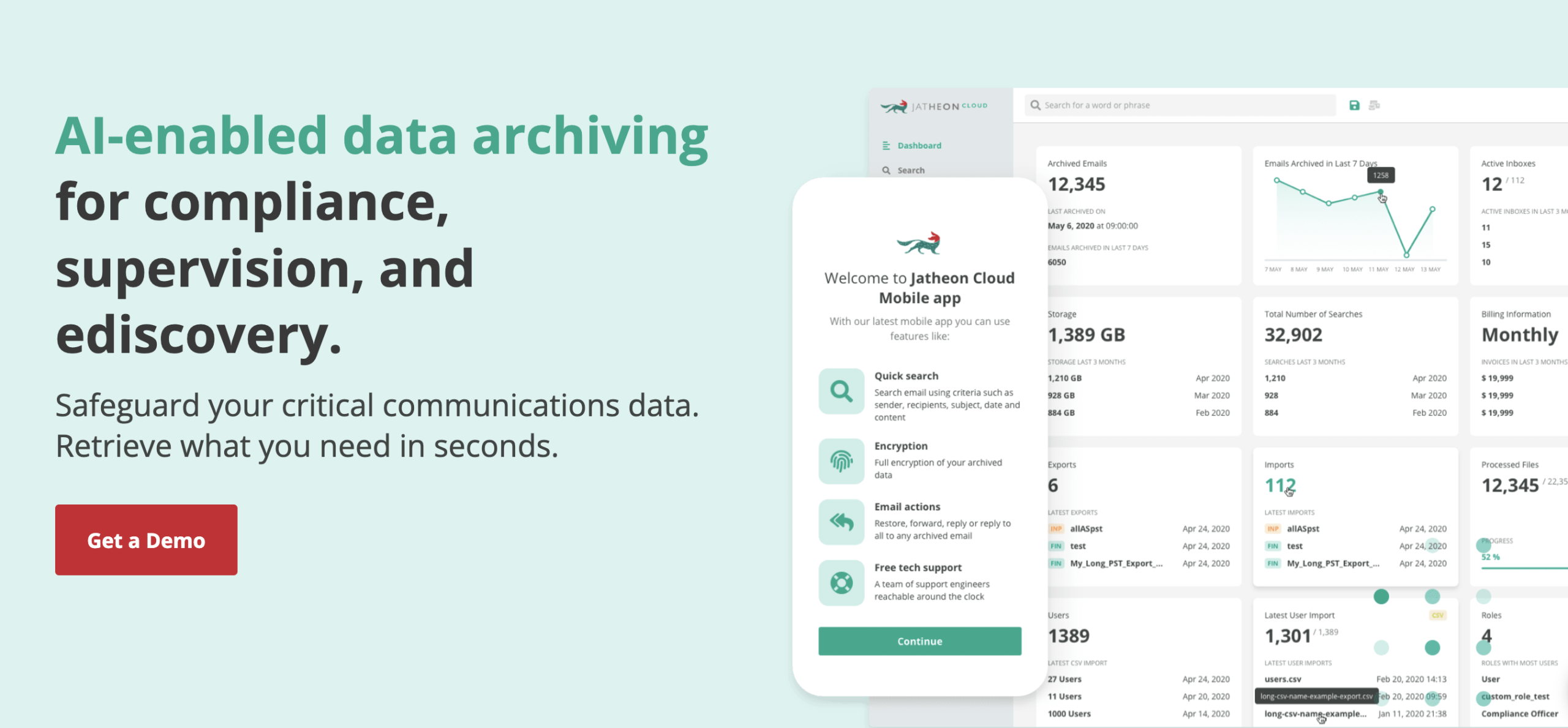
Jatheon is a comprehensive archiving and compliance solution built for organizations in regulated industries. While Microsoft Exchange and Purview are optimized for Microsoft 365 environments, Jatheon was designed from the ground up to deliver broader data coverage, deeper control, and easier compliance management across email and 30+ other communication platforms.
It captures and archives data from email systems (Microsoft Exchange, Google Workspace, legacy platforms), social media, SMS/iMessage, and collaboration tools like Teams, OneDrive and SharePoint. This makes Jatheon a strong choice for organizations that need to retain communication records across multiple systems or respond to audits, FOIA requests, or legal matters.
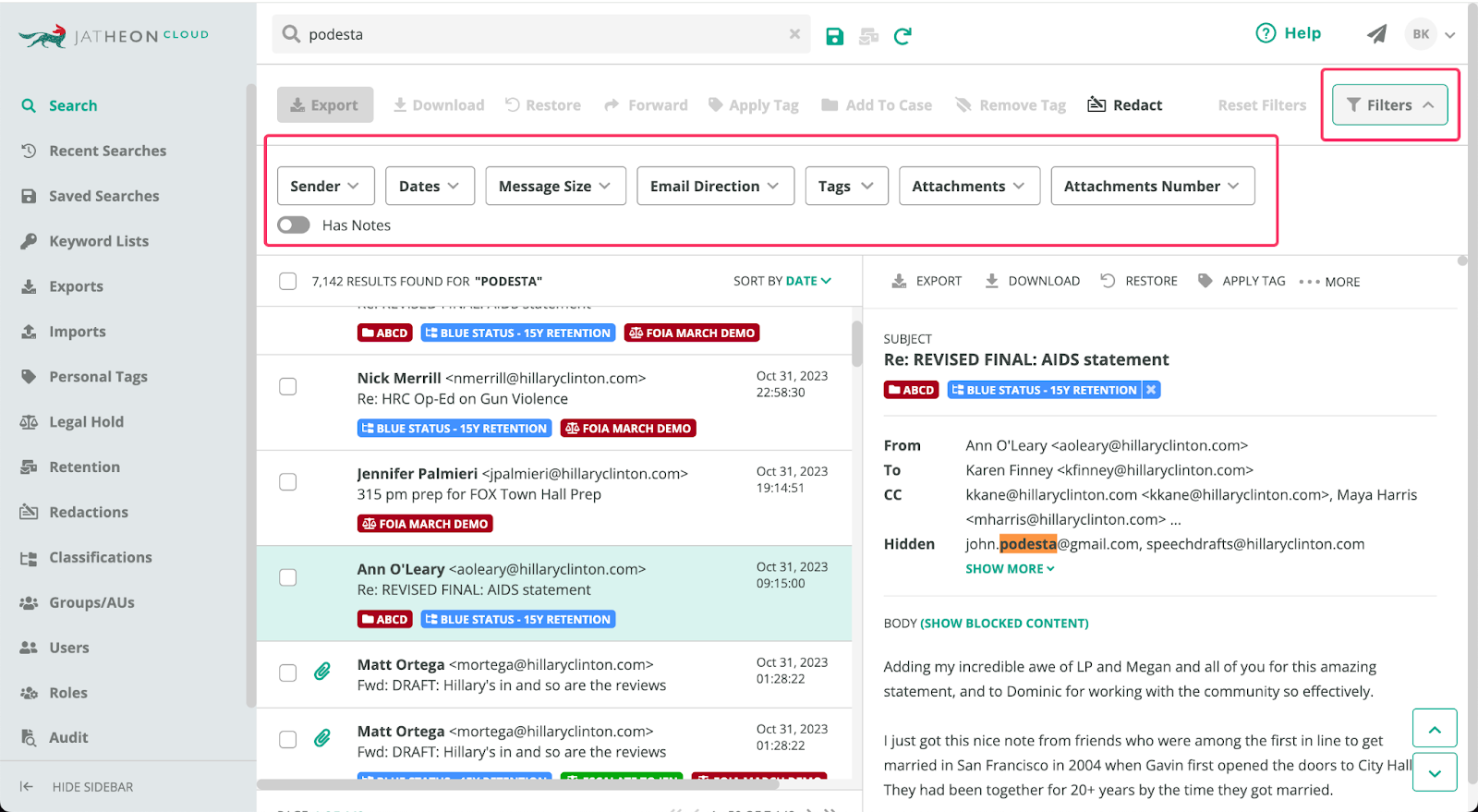
Jatheon’s powerful search lets teams filter millions of records by sender, date, keywords, or proximity, with real-time indexing for fast results.
Legal hold and bulk exports are built in and optimized for large discovery cases and internal investigations.
It supports cloud, on-prem, and virtual deployment, offering flexibility for sectors with strict infrastructure or data residency requirements. Data is stored in WORM-compliant format, with customizable retention rules, audit trails, and alerts to ensure compliance with HIPAA, FOIA, FERPA, and other regulations.
Unlike Exchange, which requires advanced licensing and add-ons, Jatheon includes core compliance features like legal hold, redaction, audit logging, and export out of the box. Support is in-house, available 24/7, and tailored to meet the needs of compliance and IT professionals in high-stakes environments.
Barracuda
Barracuda offers a hardware and cloud-based archiving solution that integrates with Microsoft 365, Exchange, and other email systems. Its primary use case is long-term email storage for small to mid-sized businesses looking for a simple, cost-effective compliance tool.
The platform includes standard features like email retention, journaling, policy-based archiving, and basic ediscovery. It also supports legal hold and integrates with Outlook, allowing users to access archived messages directly from their inbox. Deployment options include on-premises appliances or cloud-based infrastructure.
However, Barracuda’s archiving tools are limited in scope when compared to more enterprise-grade solutions.
Its search functionality does not support advanced filtering, tagging, proximity or fuzzy search, making it less suitable for environments with high discovery volume or legal complexity. The platform also lacks redaction features, multi-format export options, or integrated workflows for multi-role review and approval.
Another key limitation is that Barracuda does not offer comprehensive multi-channel archiving. Unlike Jatheon, it can’t capture and retain social media, messaging, or collaboration platform content, a gap that could impact compliance in industries governed by strict communication oversight laws.
Barracuda support is primarily tiered, and some advanced features may require additional licensing or hardware upgrades. While it can serve as a stepping stone for basic email archiving needs, organizations operating in regulated sectors or those needing scalable, policy-rich retention and discovery tools will likely require a more robust solution.
Mimecast
Mimecast delivers a scalable, cloud-based email archiving solution with strong integration for Microsoft 365 environments.
It provides secure journaling, role-based access control, granular policy management, and built-in continuity services to ensure business email remains accessible even during outages.
Designed with mid-sized to large enterprises in mind, Mimecast’s archive includes real-time ingestion, support for ediscovery, legal hold, and fast search performance under normal conditions. Its search interface is user-friendly and suited for both IT and compliance teams.
However, Mimecast’s archiving solution has several limitations. Large-scale exports can be slow and resource-intensive, especially in cases involving high volumes of data. The platform’s customization capabilities are also limited — advanced tagging, annotation, or case management workflows may require third-party tools.
While Mimecast does well in securing and indexing emails, it lacks native support for broader communication channels like SMS, collaboration platforms, or social media, which are increasingly essential for compliance in regulated industries.
Additionally, some features are locked behind premium plans, making it less cost-effective for organizations with complex retention and ediscovery needs.
Mimecast remains a solid upgrade from basic Microsoft Exchange archiving but may not offer the depth and flexibility required for organizations seeking full-spectrum data governance and multi-source archiving.
Proofpoint Archive
Proofpoint is a high-end archiving solution tailored to meet the needs of large enterprises with stringent compliance, supervision, and governance requirements.
It offers robust tools for data loss prevention (DLP), content classification, user behavior monitoring, and integrated supervision workflows. Its policy engine allows fine-grained control over retention, classification, and access rights, which is critical for industries facing heavy regulatory oversight.
The platform supports email, social media, instant messaging, and file archiving, making it suitable for organizations that require oversight across multiple communication channels. It also features advanced analytics and reporting tools for risk assessment and audit readiness.
However, Proofpoint comes with notable drawbacks. Its interface is complex, with a steeper learning curve for first-time users or smaller teams without dedicated compliance personnel. Implementation and training can take longer compared to other solutions. Cost is another barrier, as Proofpoint’s licensing and service tiers are priced at the premium end of the market.
While Proofpoint is highly capable and scalable, its sophistication makes it best suited for enterprises with large legal or compliance departments, and may be excessive for smaller organizations looking for a simpler or more cost-effective solution.
Google Workspace
Google Workspace offers an integrated suite of email, productivity, and collaboration tools, making it a cloud-native alternative to Microsoft Exchange Online. With Gmail at its core, it delivers business-grade email along with tools like Drive, Docs, Sheets, and Meet, all managed through a centralized admin console.
For organizations seeking simplicity and seamless collaboration, Google Workspace provides a user-friendly platform that minimizes infrastructure overhead and streamlines IT operations.
Archiving and ediscovery are handled via Google Vault, an add-on tool that allows administrators to retain, search, export, and place legal holds on Gmail messages and Drive files.
This makes Vault suitable for basic compliance and litigation support in general business environments. The search interface is straightforward, and Vault supports multi-user access for legal and compliance teams.
However, when it comes to regulatory compliance in industries like healthcare, finance, or education, Google Workspace has several notable limitations. Vault lacks key features such as WORM-compliant storage, in-platform redaction, detailed audit trails, and advanced tagging or annotation for legal workflows.
Retention enforcement is based on account status, meaning that deleted users may result in loss of data unless managed carefully. Additionally, Workspace does not support archiving for external messaging systems, legacy email platforms, or third-party tools like social media and SMS, an essential capability for multi-channel compliance.
Google Workspace is well-suited for startups and mid-sized businesses with light compliance needs and strong cloud adoption. But for regulated organizations or those needing deeper archiving and discovery capabilities, a third-party archiving solution remains necessary to ensure defensible compliance and full communication oversight.
Summary of the Main Points
Microsoft Exchange offers basic archiving and ediscovery, but lacks many features required for regulatory compliance.
Exchange’s reliance on end-user behavior and manual controls increases compliance risks.
Built‑in Exchange email archiving lacks robust compliance, redaction, and cross‑platform support, making it insufficient for many regulated sectors.
Native ediscovery lacks advanced search filters, tagging, case notes, and export flexibility.
Exchange does not support archiving beyond email (e.g., SMS, social media, collaboration tools).
Third-party solutions like Jatheon offer broader platform coverage, audit trails, tagging, legal hold, AI-driven classification, and real-time archiving.
Regulated organizations in education, healthcare, finance, and government benefit from deeper control and multi-format archiving capabilities.
Solutions such as Jatheon outperform Exchange in terms of compliance readiness, ediscovery efficiency, and policy enforcement.
Learn more aboutJatheon’s email archiving solution and how it works with your Exchange server. Keep your organization compliant, speed up your ediscovery, and improve your archiving process.
FAQ
Can Microsoft Exchange archive all emails automatically?
Not by default. Exchange allows administrators to define retention policies, but unless those policies are enforced centrally, users may be able to delete emails or bypass archiving. This poses compliance risks.
Is Exchange archiving enough for HIPAA or FOIA compliance?
For most regulated organizations, Exchange archiving alone may not meet all HIPAA, FOIA, or SEC 17a-4 requirements due to limited audit trails, redaction, automation, and record integrity controls.
What’s the difference between Litigation Hold and In-Place Hold in Exchange?
Litigation Hold preserves all mailbox content indefinitely or for a set time. In-Place Hold targets specific content based on search criteria. Both prevent deletion or modification but notify end-users when activated.
Can Exchange ediscovery export files in redacted or review-ready formats?
No. Exchange exports to PST format, which lacks built-in redaction, tagging, or annotation. Additional tools are required to prepare files for legal review or FOIA response.
Why consider a third-party archiving solution like Jatheon?
Third-party solutions provide deeper control, better search, broader platform coverage (beyond email), and built-in tools for compliance, legal hold, redaction, and audit-readiness. They’re especially valuable in regulated sectors.
Natasa Djalovic is a Senior Content Writer at Jatheon, with 10+ years of experience in creating B2B and SaaS content, with a strong focus on compliance, archiving, and tech topics. Outside of work, she likes to collect and build LEGO sets, hang out with her cats, and watch documentaries.
We’ve received your demo request and we’ll be in touch soon to set up a time. Questions in the meantime? Email us at sales@jatheon.com.
Become a Jatheon Partner
Join us in delivering AI-powered data archiving built for regulated industries. Leave us your contact details and we’ll get in touch in one business day.