Microsoft reports that more than 430 million people use Microsoft 365 apps.
That makes Outlook one of the most widely used email clients in the world. Teams pick it for enterprise-grade security, deep Office integrations, and a broad feature set, but the case for evaluating Outlook alternatives is stronger than it’s been in years.
That same breadth is also part of the problem. For many organizations, Outlook costs more than it should and does more than teams actually use day to day. A July 2026 price increase is also coming to most commercial Microsoft 365 tiers, with some plans going up as much as 33%.
Combined with the staged migration to New Outlook, already the default for Business Standard and Premium tenants and arriving for enterprise customers by March 2027, IT leaders have fresh reasons to evaluate Outlook alternatives now, rather than under deadline pressure.
If any of that sounds familiar, you’ve got options.
Below are 10 Outlook alternatives worth evaluating in 2026, along with what to weigh from a compliance and data governance standpoint.
TL;DR
This guide covers 10 Microsoft Outlook alternatives to evaluate and highlights where each one fits best. A comparison table below summarizes pricing, platform support, security, and AI features for faster shortlisting. Thunderbird and Apple Mail remain strong free options, Proton Mail is the strongest fit for privacy-focused organizations, and Gmail is a practical choice for teams already standardized on Google Workspace. If your organization has retention, audit, or ediscovery obligations, pair whichever client you choose with a dedicated archiving solution.
The Drawbacks of Using Microsoft Outlook
Although Outlook is a widely used email client, it has several limitations, with cost being one of the biggest concerns. Outlook can be purchased either as a standalone license or as part of a Microsoft 365 subscription.
The standalone desktop version is available as part of Office Home & Business 2024, a one-time purchase that costs $249.99 per license for one PC or Mac.
Alternatively, Outlook is included in Microsoft 365 plans, which are sold on annual or month-to-month commitments (the monthly option carries a price premium).
As of today, pricing starts at $6 per user/month for Microsoft 365 Business Basic, $12.50 per user/month for Business Standard, and $22 per user/month for Business Premium, which adds advanced security and device management.
Those numbers are about to move.
On July 1, 2026, Business Basic rises to $7, Business Standard rises to $14, and Business Premium holds at $22. Most Enterprise tiers are also going up, with some Frontline SKUs increasing by as much as 33%.
Beyond pricing, Outlook’s extensive feature set can be both an advantage and a drawback.
Businesses that need these tools may find them useful, but others may consider them unnecessary and time-consuming to learn. Training employees to use Outlook efficiently can slow down workflow, especially for teams that don’t require all of its functionalities.
Performance and reliability are also common concerns. Outlook is known to experience sluggishness, unexpected crashes, send/receive failures, and login issues, often requiring IT support to resolve. Users frequently report search function failures, especially when indexing becomes corrupted, as well as add-ins that cause Outlook to freeze.
Microsoft’s staged migration from Classic Outlook to New Outlook has also become a trigger for re-evaluation in many organizations. The newer client has drawn criticism for reduced functionality and changed workflows, with features like local file path hyperlinks and certain search folder configurations no longer available.
Business Standard and Premium tenants are already defaulting to New Outlook, and enterprise customers face the same opt-out by March 2027.
Meanwhile, smaller Microsoft 365 plans may still require additional licensing to unlock more advanced retention, legal hold, and ediscovery capabilities, a gap that matters for any organization with compliance obligations.
Though Outlook remains a dominant player in the email market, these drawbacks highlight why some organizations may consider an Outlook alternative that offers a more streamlined and cost-effective experience.
What to Look for in an Outlook Alternative
When evaluating alternatives to Outlook, the right fit depends on what your team actually needs day to day, not just what looks comparable on a feature checklist.
- Protocol and provider compatibility. Make sure the client supports IMAP, POP3, and Exchange if you need to connect existing Microsoft 365, Gmail, or custom-domain mailboxes. The easiest migrations usually happen when the new client can sync directly with your current mail server instead of relying entirely on file imports. If your organization still runs on-premises or hybrid Exchange, confirm support explicitly. New Outlook, for example, doesn’t yet handle those scenarios.
- Platform support. Check whether the client works across the operating systems and devices your users depend on, including Windows, macOS, Linux, iOS, Android, and web access. Cross-platform support matters even more if your teams switch between desktop and mobile throughout the day.
- Security and encryption. Review what security controls are available, including support for TLS, PGP, S/MIME, and account-level protections such as MFA and conditional access. If you handle sensitive data, strong encryption and secure authentication should be part of the evaluation criteria from the start.
- Admin controls and compliance features. For regulated organizations, mailbox access is only part of the picture. You should also evaluate retention controls, auditability, and legal hold support, along with whether the broader environment can help meet obligations under HIPAA, SEC Rule 17a-4, FINRA, GDPR, and public records laws like FOIA and its state equivalents. Leaving the Microsoft ecosystem often means losing the retention and ediscovery features bundled into E3 and E5 plans, so plan for how you’ll fill that gap.
- Migration complexity. Some clients make switching straightforward, while others require more manual setup for contacts, calendars, rules, categories, and shared mailboxes. Before committing, verify what will transfer automatically and what will need to be recreated.
- Total cost of ownership. Look beyond the entry price and account for storage limits, paid add-ons, admin tooling, and any extra subscriptions required for governance or ediscovery. A lower sticker price can still become expensive if key business or compliance features sit behind higher tiers.
Outlook Alternatives Compared
| Tool | Best for | Platforms | Free Plan | Starting Price | Encryption/Security | AI Features |
| Gmail (Google Workspace) | Teams already in the Google ecosystem | Web, iOS, Android | Yes | $7/user/month annual | TLS, S/MIME higher tiers | Gemini |
| Apple Mail | Apple-only environments | iOS, macOS, watchOS, iPadOS | Yes | Free | Apple ecosystem, S/MIME | No |
| eM Client | Desktop power users who want Outlook-like depth | Windows, macOS, Android, iOS | Yes | $39.95/year Personal | PGP, S/MIME native | Yes |
| Thunderbird | Open-source advocates and Linux users | Windows, macOS, Linux, Android | Yes | Free | S/MIME, OpenPGP | No |
| Mailbird | Windows users who want a lightweight, affordable client | Windows, macOS | Yes | $4.03/user/month annual | Standard account security | OpenAI integration |
| Spike | Mobile-first teams who prefer chat-style communication | Windows, macOS, iOS, Android, web | Yes | $5/user/month | Standard account security | Magic AI |
| Spark | Professionals managing multiple inboxes | macOS, iOS, Android, Windows | Yes | $6.99/user/month | Standard account security | Spark +AI |
| Proton Mail | Privacy-focused organizations and regulated industries | Web, Windows, macOS, Linux, Android, iOS | Yes | $6.99/user/month | End-to-end, zero-access encryption | Proton Scribe Premium |
| Zoho Mail | Small businesses on a tight budget | Web, iOS, Android, Trident desktop | Yes | $1/user/month Lite annual | S/MIME Premium | Zia paid tiers |
| Mailspring | Individuals who want a free, cross-platform client | Windows, macOS, Linux | Yes | $8/month | No native PGP/S/MIME | No |
10 Popular Outlook Alternatives
1. Gmail
Best for: teams already in the Google ecosystem
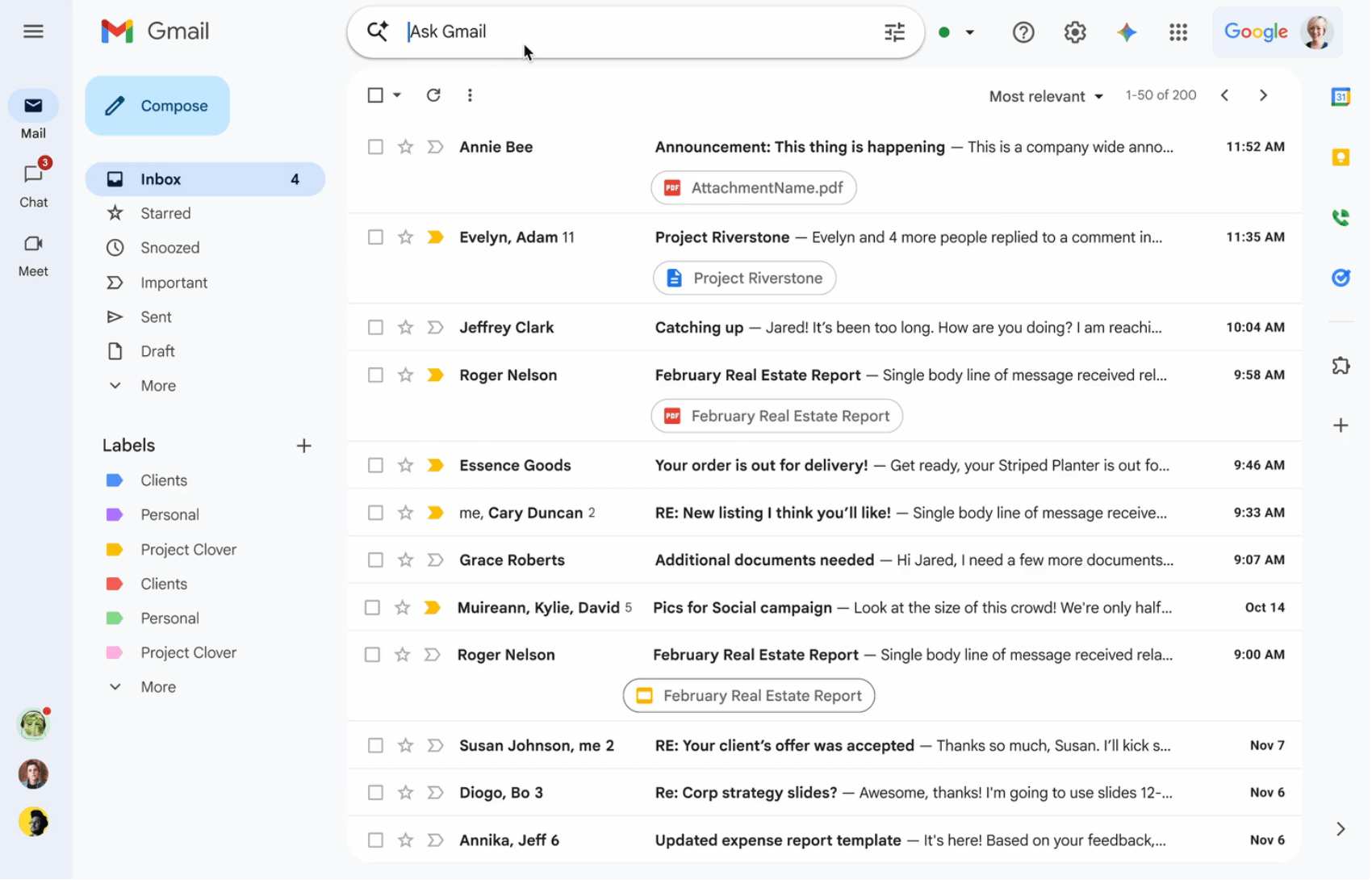
Gmail’s free tier is widely used for personal email, but Google Workspace (previously G Suite) turns it into an enterprise-grade platform with custom domains, enhanced security controls, and integration with Google’s full productivity suite.
The business version of Gmail comes with pooled cloud storage that scales from 30 GB per user on Business Starter up to 5 TB per user on Business Plus, plus Enterprise tiers for organizations that need more. It’s linked with Google Chat, Spaces, and Meet for collaboration.
A paid Google Workspace subscription includes the core Gmail functionality alongside Gemini AI (bundled into every tier as of January 2025), Google Calendar, Drive, Docs, NotebookLM, and Google Sites for internal pages and intranets. Higher tiers add governance and compliance tooling through Google Vault.
Strengths:
- Deep integration with Google Workspace apps, including Calendar, Drive, Meet, and Chat
- Familiar interface and strong collaboration features for distributed teams
- Gemini AI is included in every tier without a separate add-on
Limitations:
- Works best when your organization is already standardized on Google tools
- Advanced governance and ediscovery capabilities (via Google Vault) require Business Standard or higher, as they aren’t included in Business Starter
- For regulated industries, the lighter retention controls in Starter may not be enough on their own
Price: Free for personal use. Google Workspace starts at $7 per user per month with annual billing ($8.40 with monthly billing).
2. Apple Mail
Best for: Apple-only environments
Often called simply “Mail,” Apple Mail is Apple’s native email client.
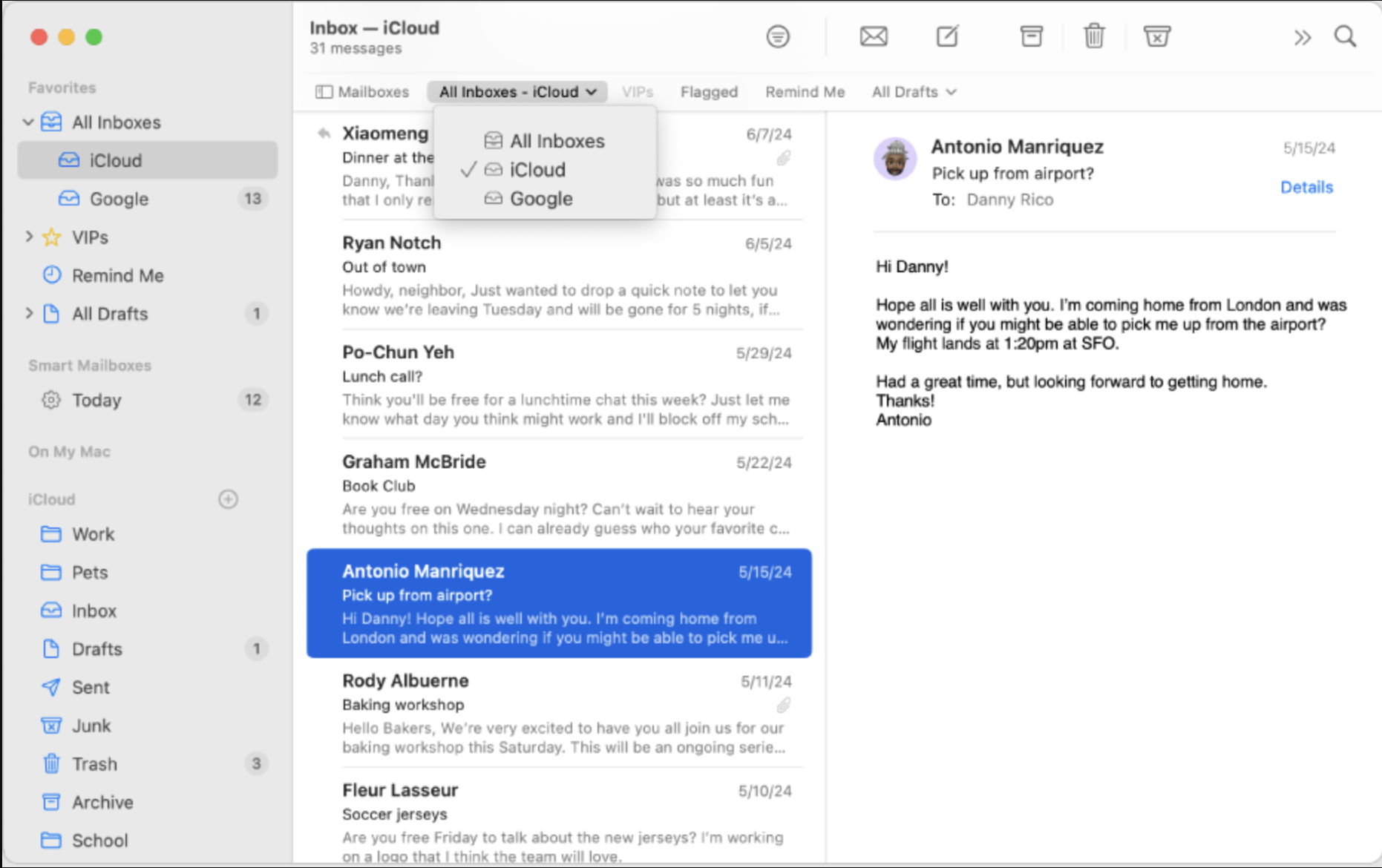
Its appeal comes from simplicity: a clean interface, easy navigation, and the core features most users need, like email archiving, sorting, file sharing, and rich text composition. Some users find it too basic compared to Outlook, but recent macOS and iOS updates have added Smart Replies, AI-assisted summaries (with Apple Intelligence on supported devices), and category-based inbox sorting.
A new Apple Account comes with 5 GB of free iCloud storage shared across mail, photos, device backups, and other iCloud services. Organizations or individuals who need more can upgrade to iCloud+, which offers five tiers in the U.S.: 50 GB ($0.99/mo), 200 GB ($2.99/mo), 2 TB ($9.99/mo), 6 TB ($29.99/mo), and 12 TB ($59.99/mo).
Apple Mail can connect to a range of providers, including iCloud Mail, Google Workspace, Microsoft 365, Yahoo, AOL, and any IMAP or Exchange account.
It’s available on iOS, macOS, iPadOS, and watchOS. For organizational deployments, Apple Mail is typically managed through Apple Business Manager or Apple School Manager, paired with mobile device management (MDM) for centralized account provisioning and policy enforcement.
Strengths:
- Clean, native interface that feels familiar to Apple users
- Free to use and built into Apple devices
- Strong device-level encryption and integration with Apple’s security model (Advanced Data Protection, Lockdown Mode)
- Manageable at scale through Apple Business Manager and MDM
Limitations:
- Best suited to Apple-centric environments; cross-platform organizations may struggle with consistency
- No native enterprise compliance tooling. Retention, legal hold, and ediscovery depend entirely on the mail server it connects to (Exchange, Google Workspace, etc.)
- iCloud Mail is not covered by a BAA from Apple, making it unsuitable as the underlying mail service for HIPAA-covered entities
- Default feature set is lighter than Outlook for power users. Mail extensions exist, but the ecosystem is limited.
Price: Free. iCloud+ upgrades start at $0.99/month for 50 GB.
3. eM Client
Best for: desktop power users who want Outlook-like depth
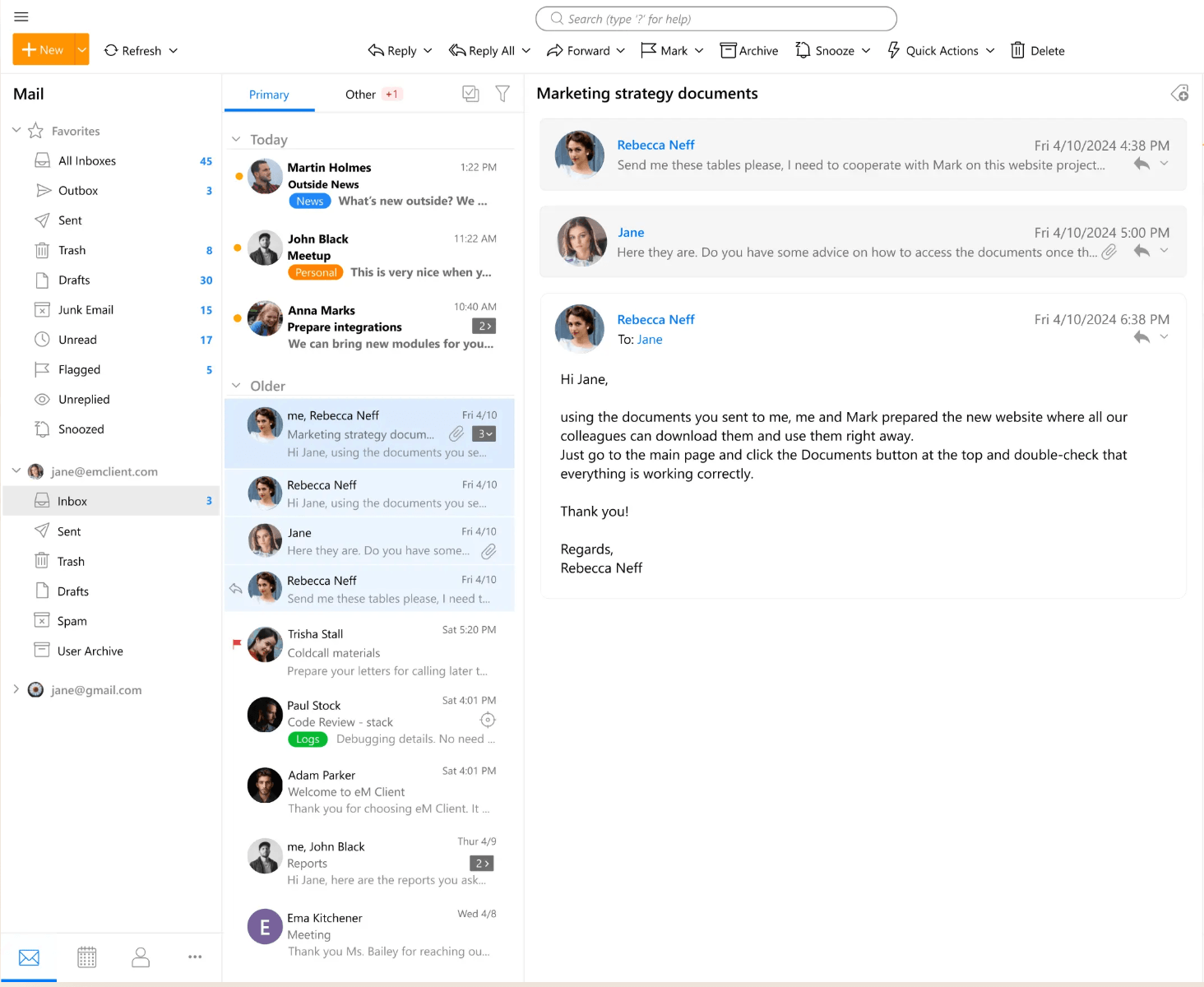
eM Client offers a clean, intuitive interface that retains powerful functionality. It’s available for Windows, macOS, Android, and iOS, with a consistent experience across platforms.
Like Outlook, eM Client provides a built-in calendar, contact and appointment management, task lists, and notes.
It supports native integrations with Microsoft Teams, Slack, and Rocket. Chat for in-app messaging. Advanced features include email snoozing, send-later scheduling, PST import for migrating directly from Outlook archives, automatic translation across 40+ languages, and AI-powered drafting and reply features (introduced in version 10 and included in both paid subscription tiers).
For security-conscious users, eM Client supports both PGP and S/MIME encryption natively, without third-party add-ins, which is a meaningful advantage for organizations in regulated industries.
It’s compatible with major protocols and providers, including IMAP, POP3, SMTP, Exchange, and Microsoft 365.
Strengths:
- Rich desktop feature set that feels familiar to Outlook users
- Broad protocol support, including Exchange and Microsoft 365
- Built-in PGP and S/MIME encryption (rare among Outlook alternatives)
- Direct PST import from Outlook simplifies migration
- 30% discount available for schools, universities, and NGOs
Limitations:
- Free tier is limited to 2 accounts and personal, non-commercial use. Businesses need paid licenses from day one.
- The full feature set may be more than very small teams need
- As a desktop client, eM Client doesn’t include server-side compliance tooling (retention, legal hold, ediscovery, audit logging). Those depend on the mail server it connects to
- COM/VSTO add-ins from Outlook (CRM integrations, legal tools, custom plugins) won’t work in eM Client.
Price: Free for personal, non-commercial use (up to 2 accounts). Paid licensing starts at $39.95/year per device for Personal and $49.95/year per device for Business, with perpetual one-time licenses also available ($59.95 Personal / $79.95 Business). Volume discounts and a 30% education/NGO discount are available.
4. Thunderbird
Best for: open-source advocates, Linux users, and organizations that want a free Outlook alternative without vendor lock-in
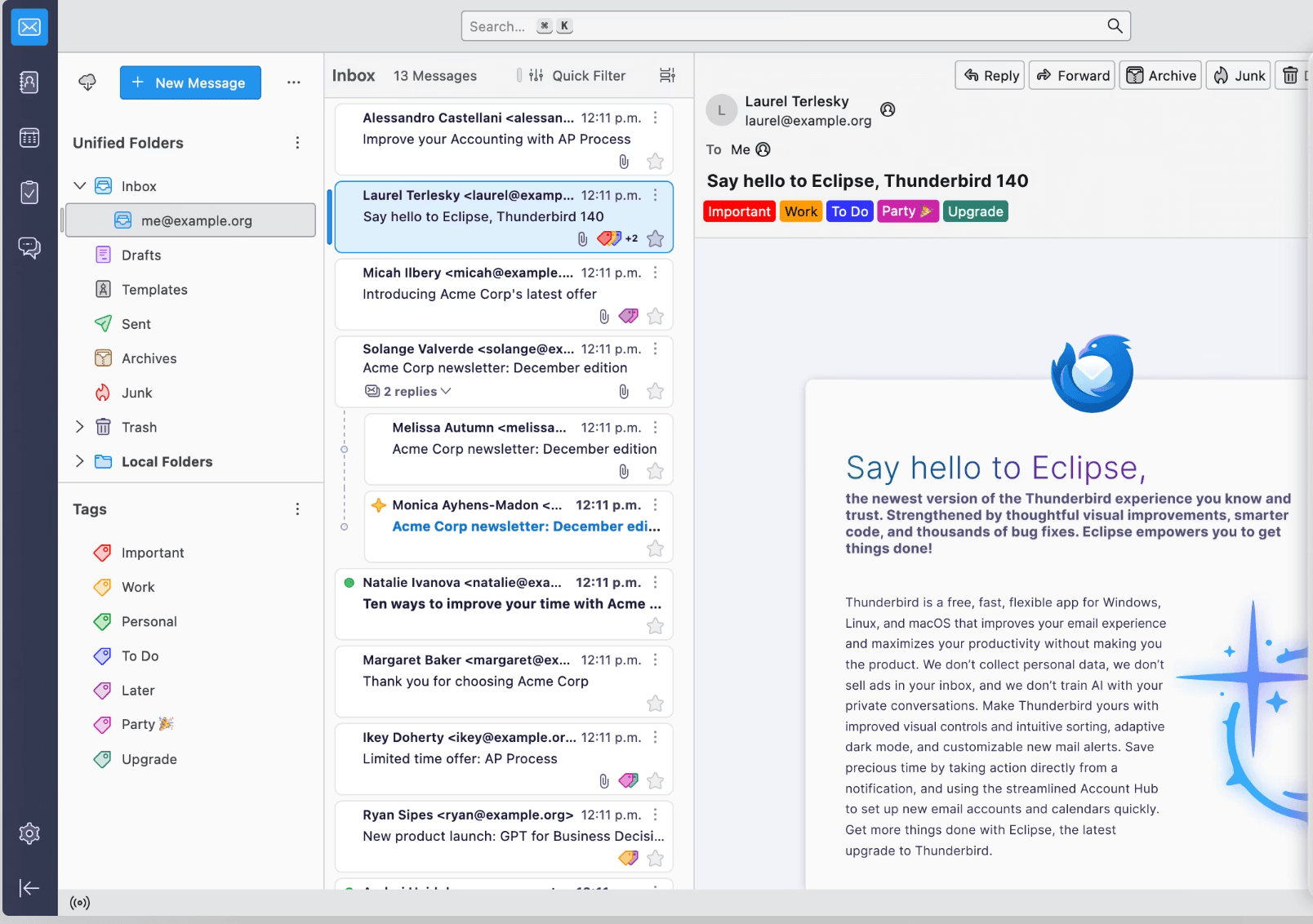
Thunderbird is Mozilla’s open-source, cross-platform email client. It’s available for Windows, macOS, Linux, and, as of October 2024, Android, with an iOS app in beta. The desktop application moved to a monthly release cadence in 2025, replacing the older annual schedule and bringing features and fixes to users much faster.
In addition to its core features (email filtering, attachment reminders, a one-click address book), Thunderbird supports advanced spam screening, phishing protection, and encryption protocols, including S/MIME and OpenPGP for message-level security. A major 2025 development was the addition of native Microsoft Exchange support in version 145.0, previously, connecting Thunderbird to Exchange required a third-party add-on, which was a significant barrier for organizations on Microsoft 365.
Thunderbird is highly configurable through themes, add-ons, productivity tools, and calendar integrations.
As an open-source project, it’s free, and Mozilla maintains it through donations, contributions, and (newly) an optional Thunderbird Pro subscription. Thunderbird Pro is rolling out in 2026 as a set of cloud services, including Thundermail (hosted email, calendar, and contacts), Appointment (scheduling), and Send (secure file sharing), designed to provide an open-source alternative to Google Workspace and Microsoft 365. The core desktop and mobile clients remain free regardless of whether you subscribe.
Strengths:
- Free, open-source, and available on Windows, macOS, Linux, and Android
- Native Exchange support added in 2025, easing migration from Microsoft 365
- Extensive customization through add-ons, themes, and integrations
- Supports S/MIME and OpenPGP for message-level security
- No vendor lock-in, useful for organizations sensitive to long-term platform risk
Limitations:
- As a desktop client, Thunderbird doesn’t include centralized policy enforcement, retention controls, legal hold, ediscovery, or audit logging. Those depend on the mail server it connects to.
- Add-on ecosystem is smaller than Outlook’s, and breaking API changes over the years have retired some legacy plugins
- Enterprise management at scale is lighter than commercial alternatives (no native admin console for fleet-wide configuration)
- Thunderbird Pro / Thundermail is still in early access, so it isn’t yet a viable hosted alternative to Workspace or M365 for most organizations
Price: Free. Thunderbird Pro (Thundermail, Appointment, Send) will be subscription-based; pricing isn’t finalized as of mid-2026.
5. Mailbird
Best for: Windows and Mac users who want a lightweight, affordable client
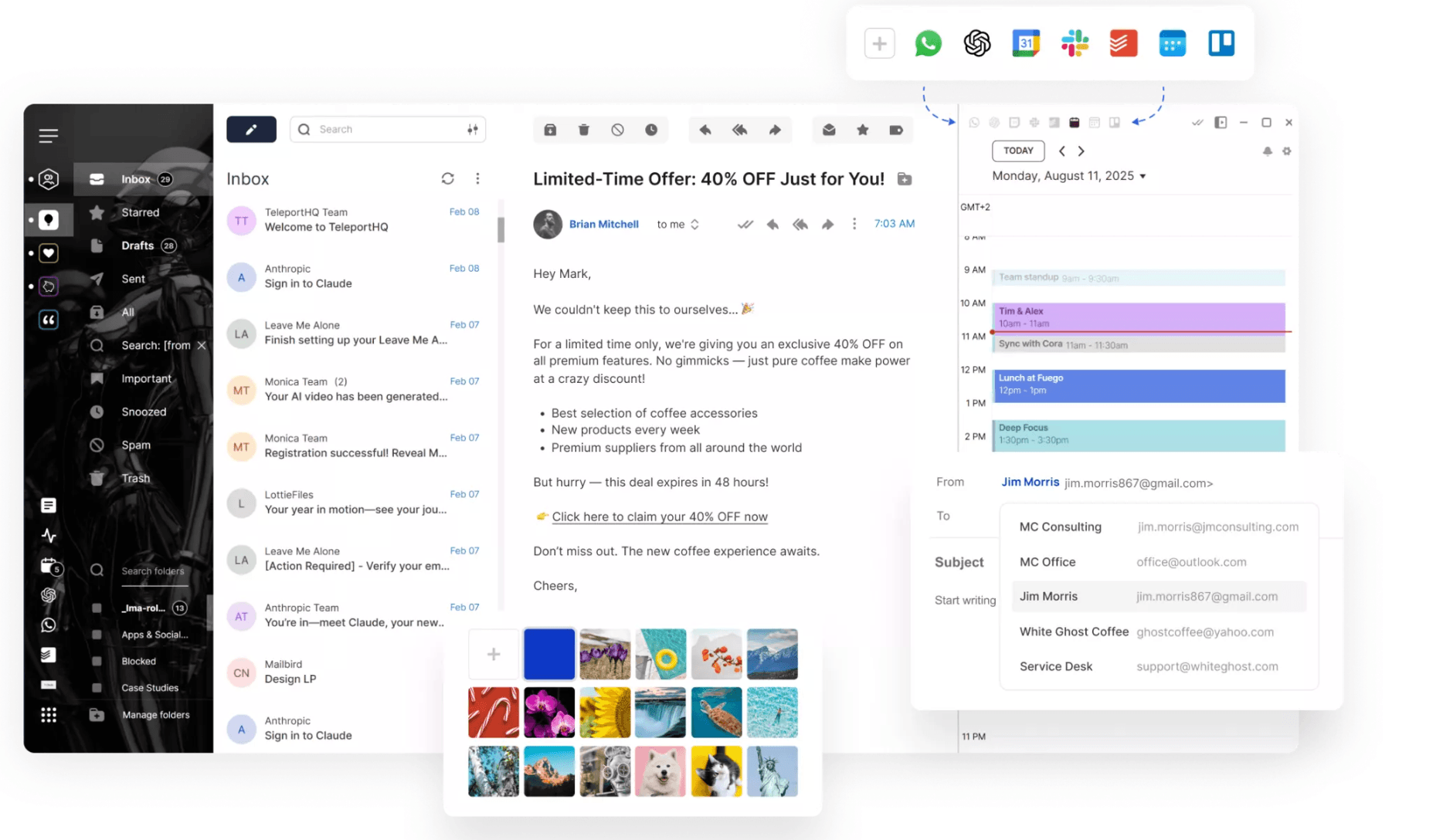
Mailbird is a desktop email client built around a unified inbox and a wide range of third-party app integrations. Out of the box, it includes email snoozing, attachment search, customizable layouts, and AI-assisted drafting and reply features powered by OpenAI.
The bigger differentiator is its app integrations. Mailbird pulls in activity from tools like Slack, WhatsApp, Google Calendar, Asana, Todoist, Dropbox, and Trello so users can manage them alongside email without switching apps.
Mailbird was Windows-only for most of its history but launched on macOS via the Apple App Store in September 2025. There are no native iOS or Android apps as of mid-2026, which is worth knowing for teams that depend on mobile parity.
The free plan is limited to one email account, which makes it more of an evaluation tier than a usable free option. Most of Mailbird’s value comes from the unified inbox across multiple accounts.
Strengths:
- Lightweight, customizable interface that’s easier to learn than Outlook
- Deep integrations with productivity and chat apps (Slack, WhatsApp, Calendar, Todoist, etc.)
- AI-assisted drafting and replies built in
- Cross-platform license covers both Windows and macOS
Limitations:
- No native mobile apps. iOS and Android are on the roadmap, but not yet shipped.
- No native PGP or S/MIME encryption, which limits suitability for regulated workflows
- As a desktop client, Mailbird doesn’t include retention, legal hold, ediscovery, or audit logging. Those depend on the mail server it connects to.
- Free plan is essentially a one-account trial; commercial use requires a paid license
- Less enterprise-oriented than Outlook or Google Workspace; no centralized admin console for fleet-wide deployment
Price: Free for one account. Premium starts at $4.03/user/month (paid yearly) or $99.75/user as a one-time Pay Once purchase. Volume discounts begin at 5+ licenses.
6. Spike
Best for: mobile-first teams who prefer chat-style communication
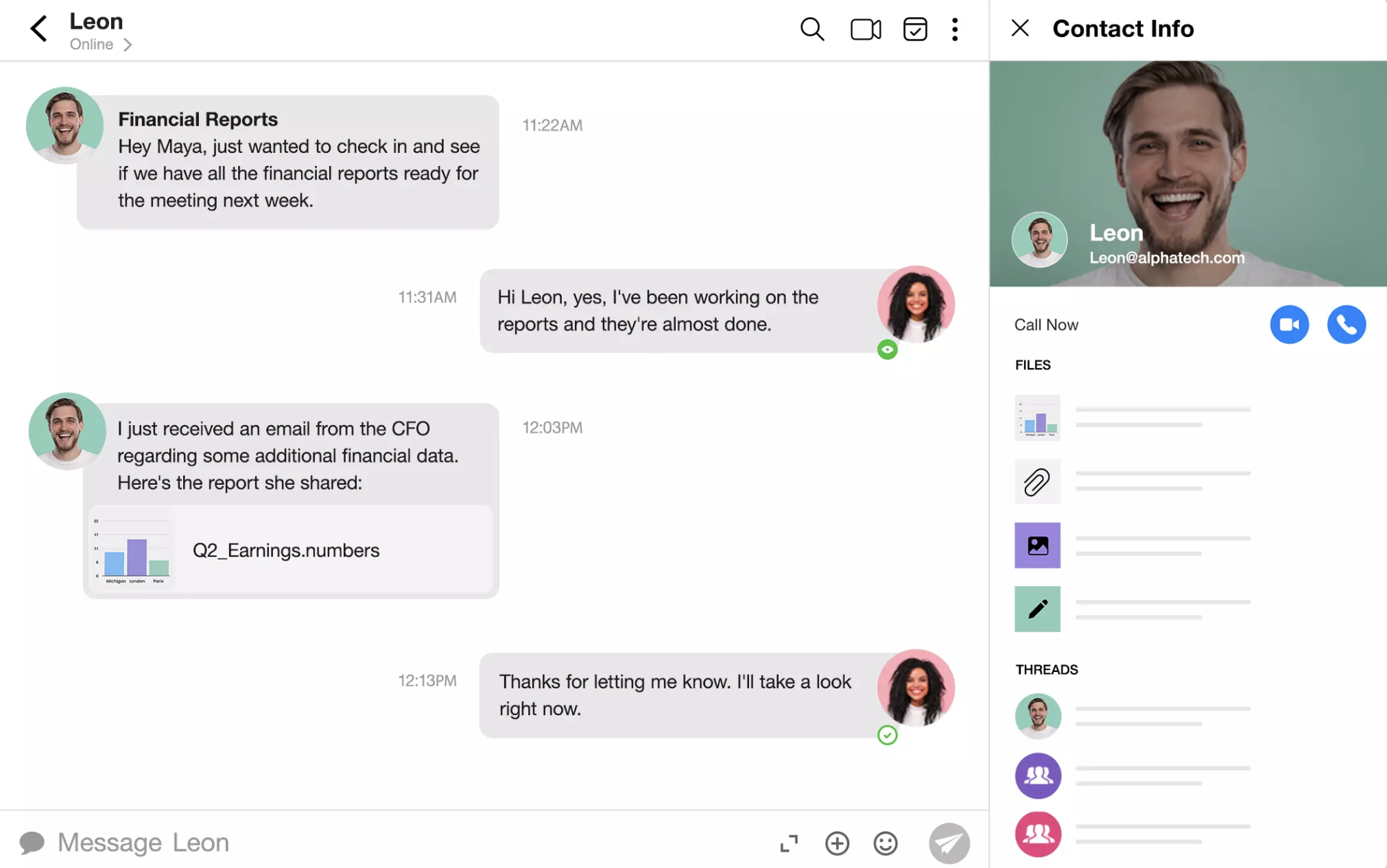
Spike is a modern email and collaboration platform that transforms traditional email threads into chat-style conversations, making correspondence feel as instant as messaging apps. It strips headers, signatures, and quoted text from the inbox view, presenting only the conversation. Spike is cross-platform, available on Windows, macOS, iOS, Android, and the web.
The product comes in two flavors.
Spike Email App lets users connect existing email accounts (Gmail, Outlook, iCloud, IMAP) and apply the chat-style interface on top.
Spike Teamspace is a hosted communication platform that bundles email (with a custom domain), team chat, channels, video and audio calls, shared inboxes, collaborative docs, tasks, and AI, competing more directly with combinations like Slack + Gmail than with Outlook alone.
Spike also includes Magic AI, a suite of AI tools built into both products: Magic Reply for drafting responses, Magic Summary for condensing long threads, Magic Translate for real-time translation, and AI Feed for one-tap unread triage. AI usage is capped on the free tier (10 queries per feature per month) and unlimited on paid plans.
Strengths:
- Chat-style presentation can meaningfully speed up internal communication
- Strong cross-platform availability, including web, desktop, and mobile
- Built-in AI features (Magic Reply, Magic Summary, AI Feed) included in paid plans
- Teamspace bundles communication, video, docs, and tasks in one app — fewer tools to license
Limitations:
- The conversation-style view strips message headers and quoted text from the UI, which can complicate legal review, FOIA production, and audit defensibility, even though the underlying messages remain standard email
- Free plan is heavily restricted (one email account, 60-day search history, 1 GB storage), effectively a trial, not a usable tier for business
- No end-to-end encryption; no publicly listed HIPAA BAA or industry compliance certifications, which is a meaningful gap for regulated industries
- Less ideal for teams that rely on conventional inbox structure, formal email formatting, or strict thread integrity for compliance recordkeeping
- Goes offline poorly compared to traditional clients. Limited functionality on weak or no connection.
Price: Free for one account with limited features. Spike Email App Pro starts at $6 per user per month, and Spike Teamspace starts at $4 per member per month for the Team plan (both annual billing).
7. Spark
Best for: professionals managing multiple inboxes
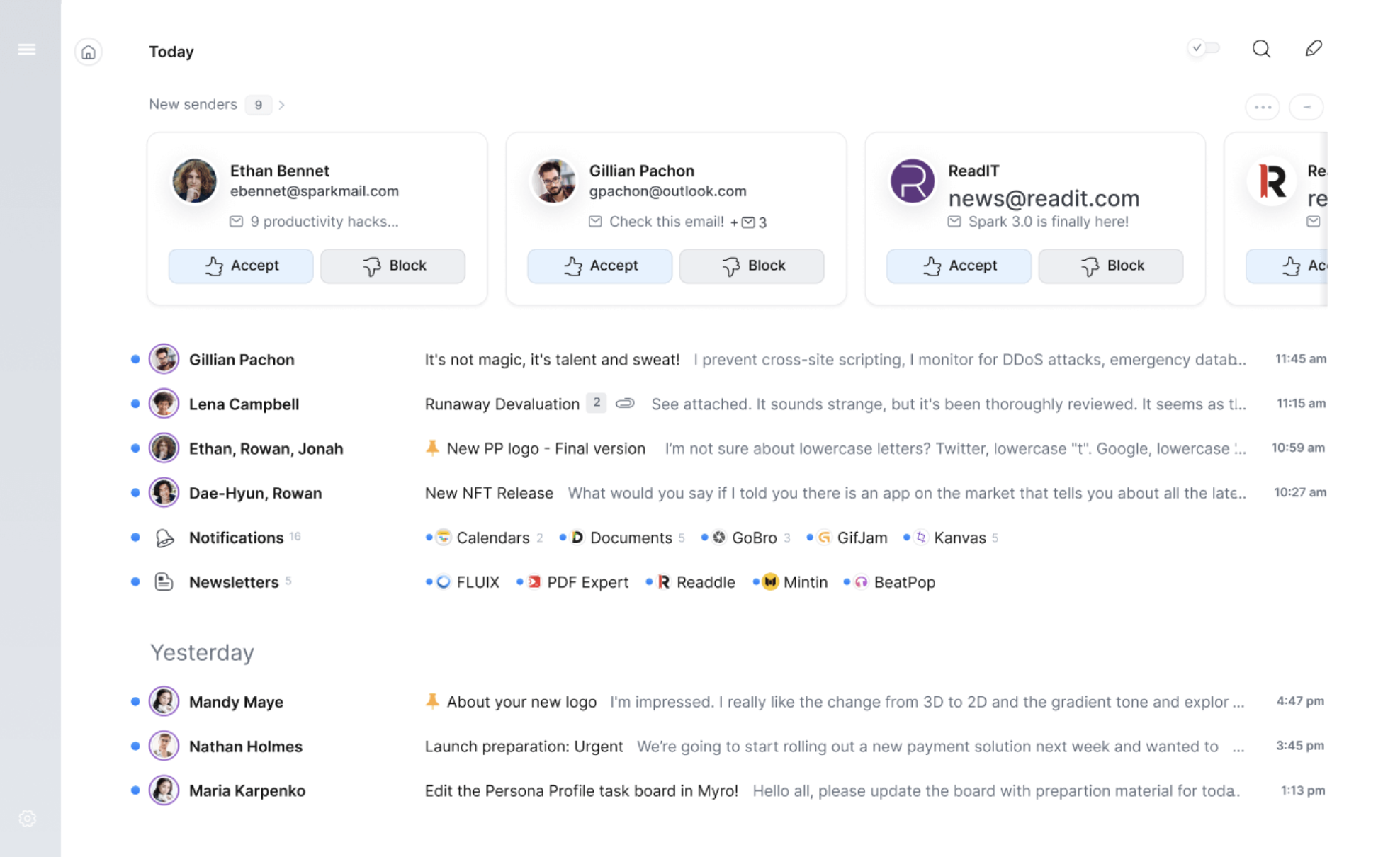
If you’re looking for a Microsoft Outlook alternative, Spark is a solid option with a clean design and strong organization features for users juggling multiple accounts. It’s available on macOS, iOS, Android, and Windows, but not Linux, and works with Gmail, Outlook/Microsoft 365, iCloud, Yahoo, and any IMAP provider.
Spark’s Smart Inbox automatically categorizes incoming emails into groups like Personal, Newsletters, and Notifications, surfacing what’s important first. Quick Replies offers template-based responses for faster communication, and Spark supports scheduled delivery, snooze, email reminders, and built-in task management.
The AI layer, Spark +AI, includes Compose, Rephrase, Summary, and Translate tools to help with email composition, replies, editing, and language translation. AI usage is capped by quota on most plans rather than unlimited; the higher-tier Pro plan offers the unlimited AI Assistant.
One important architectural detail for IT teams: Spark uses a Spark Account to sync settings, smart inbox state, and configurations across devices through Readdle’s servers.
Email credentials are stored on Readdle’s infrastructure to power push notifications and Smart Inbox processing. Readdle states they don’t read message content, but this differs from clients like Thunderbird or eM Client that connect directly from device to mail server with no third-party intermediary.
Strengths:
- Strong organization features for people juggling multiple inboxes
- Cross-platform across desktop and mobile (no Linux)
- Spark +AI assists with composition, summary, and translation
- Spark for Teams adds shared inboxes, comments, and shared drafts for collaborative workflows
- Independent, profitable company (Readdle) with a long product track record
Limitations:
- Spark routes account configuration and credentials through Readdle’s servers to power Smart Inbox and push notifications, a meaningful consideration for organizations with strict data-routing policies
- No native PGP or S/MIME encryption support
- As a client, Spark doesn’t include retention, legal hold, ediscovery, or audit logging. Those depend on the upstream mail server.
- AI usage is quota-limited on most paid tiers; unlimited AI requires the Pro plan.
- Reported sync inconsistencies and reliability issues since the Spark 3 redesign
Price: Free plan available with multiple accounts and core features. Spark Plus starts at $99 per year for individuals, and Spark Pro is $16.58 per month per user.
8. Proton Mail
Best for: privacy-focused organizations and regulated industries
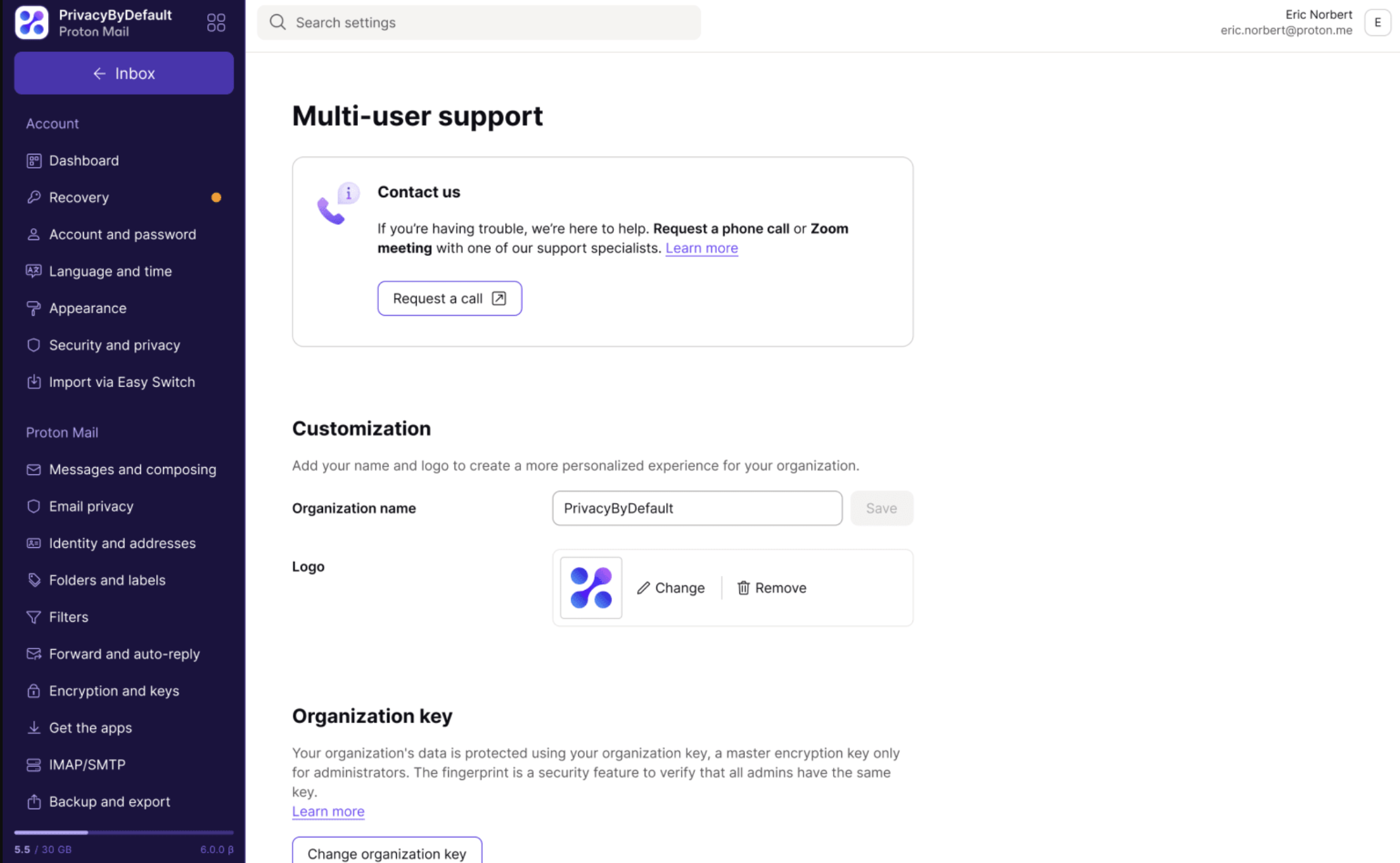
Proton Mail is a Swiss-based secure email service that delivers end-to-end encryption between Proton users and zero-access encryption for messages stored in your mailbox. The company has positioned itself as the privacy-first alternative to Microsoft 365 and Google Workspace, and as of March 2026, the business suite is officially named Proton Workspace.
The standout architectural feature is zero-knowledge encryption: messages and attachments stored on Proton’s servers are encrypted in a way that Proton itself cannot decrypt.
End-to-end encryption is automatic between Proton users; messages to external recipients go via TLS by default, or can be password-protected for external end-to-end encryption. Proton Mail integrates with Proton Calendar (encrypted scheduling) and Proton Drive (encrypted file storage), with the Workspace tiers adding Docs, Sheets, Meet (video conferencing), Proton VPN, and Proton Pass (password manager) in one bundle.
Proton Mail is available on web, Windows, macOS, Linux desktop apps, and native iOS and Android clients.
Proton Bridge lets users connect Proton Mail to Outlook, Apple Mail, Thunderbird, or any IMAP/SMTP client while preserving encryption.
For regulated industries, Proton’s compliance posture is unusually strong: Proton is SOC 2 Type II and ISO 27001 certified and offers a HIPAA Business Associate Agreement (BAA). The BAA is available to any paid Proton user, not just Workspace tiers.
The Workspace Premium tier additionally includes configurable data retention policies for organizations with retention obligations under HIPAA, SEC 17a-4, or similar frameworks.
Strengths:
- End-to-end and zero-access encryption by default; Proton cannot read your messages
- SOC 2 Type II, ISO 27001, and HIPAA BAA available on all paid plans
- Swiss jurisdiction, with infrastructure in Switzerland and Germany
- Native desktop apps (Windows, macOS, Linux) plus mobile clients, plus Proton Bridge for use with Outlook, Apple Mail, Thunderbird, etc.
- Bundled Workspace includes calendar, Drive, Docs, VPN, password manager, and Meet, replacing several separate subscriptions
- Workspace Premium offers built-in data retention policies for compliance
Limitations:
- The zero-knowledge architecture means server-side ediscovery, content search, and legal hold tools don’t work the way they do on Microsoft 365 or Google Workspace. Organizations under FOIA, SEC 17a-4, or litigation-prone environments need to plan for client-side or archiving-based ediscovery.
- Data residency is Switzerland and Germany only, a blocker for FedRAMP, CJIS, or any U.S. workload requiring in-country data storage
- End-to-end encryption only applies between Proton users by default; external recipients receive TLS-encrypted email unless explicitly password-protected.
- Third-party integrations are lighter than Google Workspace or Microsoft 365. Teams that depend on Zapier, Salesforce, or extensive plugin ecosystems may feel constrained
- Free plan is essentially personal (1 GB, one address) and not viable for business use
Price: Free plan with 1 GB storage and 1 email address. Proton Mail for Business starts at $6.99 per user per month for Mail Essentials (annual billing), and Proton Workspace Standard at $12.99 per user per month adds VPN, Drive, and Pass.
9. Zoho Mail
Best for: small businesses, school districts, and healthcare practices on a tight budget that still need compliance features
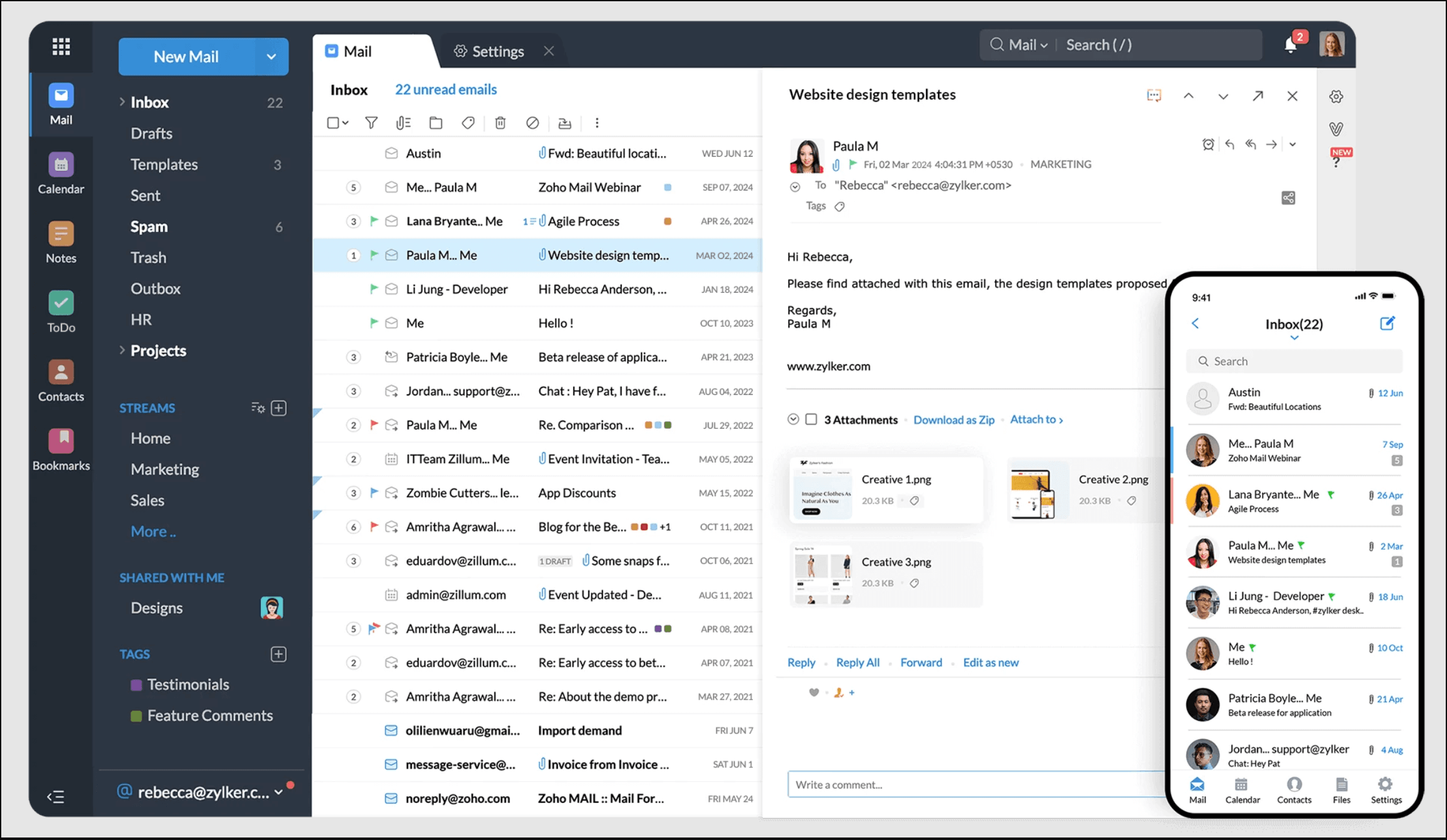
For organizations seeking an Outlook alternative with serious business capability at a fraction of the cost, Zoho Mail is one of the most compelling options in this list. It’s a secure, ad-free, custom-domain email service designed for professionals and small-to-mid-sized organizations, and its pricing structure is dramatically lower than Microsoft 365 or Google Workspace for comparable features.
Zoho Mail includes features comparable to Outlook, like email filtering, calendar integration, task management, archiving, custom domain support, and admin controls, along with Zia, Zoho’s integrated AI assistant for email summarization, drafting, and phishing detection.
The broader Zoho ecosystem adds Zoho Cliq (chat), Zoho WorkDrive (cloud storage and document collaboration, formerly Zoho Docs), and Zoho Workplace (bundled productivity suite).
Zoho Mail is available on web, iOS, Android, and through Trident, Zoho’s dedicated desktop app for Windows, macOS, and Linux. It supports IMAP, POP, and ActiveSync on paid plans (the free tier is web/mobile only). Free migration tooling is included for moving from Google Workspace, Microsoft 365, and IMAP/POP sources.
For regulated industries, the Mail Premium tier ($4/user/month) is the standout value proposition. It includes email archival and retention policies, ediscovery, S/MIME encryption, Data Loss Prevention (DLP), HIPAA BAA support, and mobile access management. Zoho is SOC 2 Type II and ISO 27001 certified. Getting comparable compliance features in Microsoft 365 typically requires E3 ($36/user/month) or higher, making Zoho Mail Premium genuinely differentiated for cost-sensitive regulated organizations.
Strengths:
- Very low pricing — Mail Lite at $1/user/month undercuts Google Workspace and Microsoft 365 by ~85%
- Mail Premium ($4/user/month) includes archival, ediscovery, S/MIME, DLP, and HIPAA BAA support
- SOC 2 Type II and ISO 27001 certifications
- Free migration tools from Google Workspace, Microsoft 365, and IMAP/POP
- Ad-free with a no-data-mining commitment
- Native AI assistant (Zia) included on paid plans
Limitations:
- Free tier lacks IMAP, POP, and ActiveSync, so users are locked into Zoho’s web and mobile clients
- The Zoho ecosystem is less polished than Google Workspace or Microsoft 365 (UI/admin console can feel dense)
- Best when paired with other Zoho products; teams committed to Google Docs, Microsoft Office, or extensive third-party integrations may face friction
- Storage caps are tighter than competitors’. Mail Lite is 5 GB/user (expandable to 10 GB).
Price: Free plan available in most regions (5 users, 5 GB each). Paid plans start at $1 per user per month for Mail Lite and $4 per user per month for Mail Premium with compliance features.
10. Mailspring
Best for: individuals who want a free, cross-platform desktop client
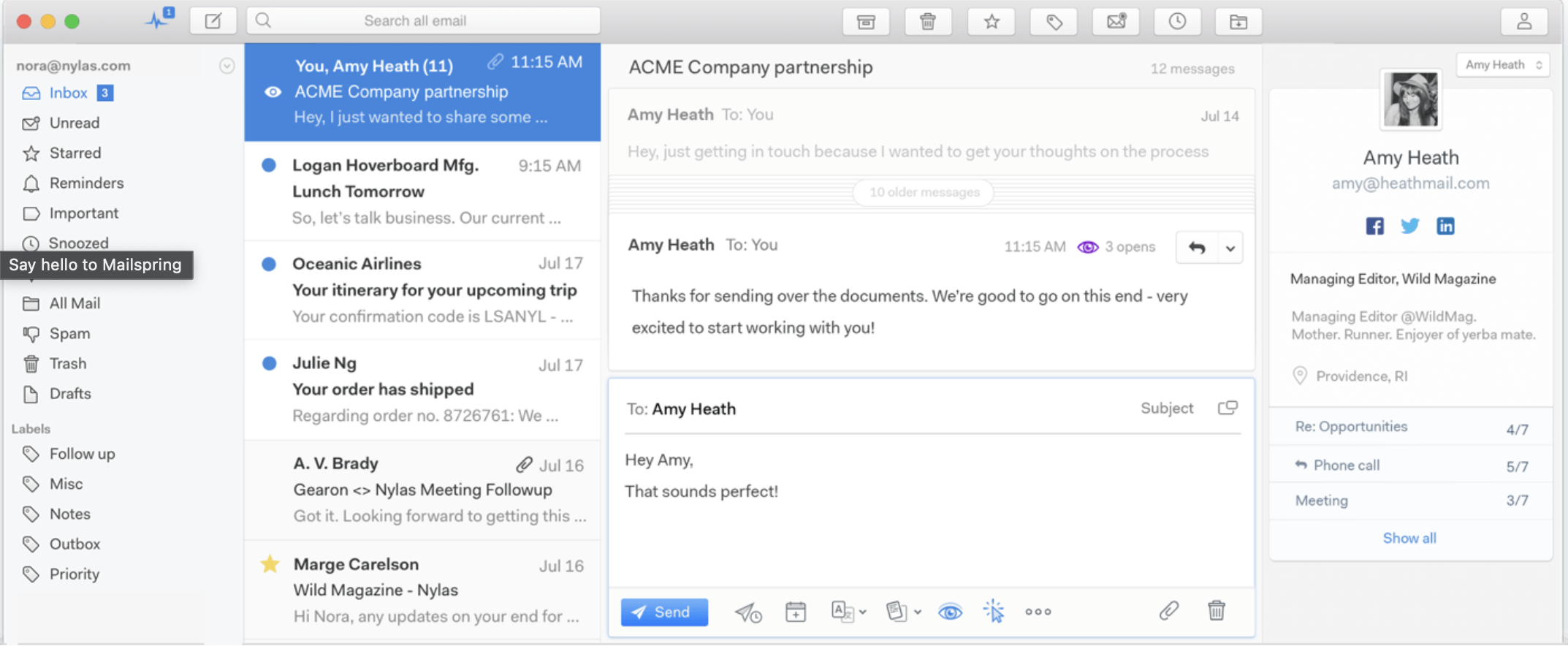
Mailspring is a lightweight, native desktop email client available for Windows, macOS, and Linux (including native ARM64 and Wayland support on Linux). It uses a native C++ sync engine rather than running as a web app in a browser shell, which translates into noticeably faster launch times and lower memory usage than competing clients.
Mailspring supports Gmail, Microsoft 365, iCloud, Fastmail, Yahoo, Outlook.com, and any IMAP/SMTP provider. It includes a unified inbox, advanced Gmail-style search across all accounts, read receipts, link click tracking, email translation, customizable themes, and keyboard shortcuts. Pro features add follow-up reminders, send later, templates, mailbox analytics, and contact profiles.
Mailspring development resumed an active cadence in 2025 after a slower stretch, with the calendar rebuilt, grammar checking added, and the latest 1.21 release in May 2026.
Strengths:
- Free, lightweight, and available across Windows, macOS, and Linux
- Native sync engine, faster and lighter than browser-based clients
- Useful productivity features such as unified inbox, advanced search, and email tracking
- Active development as of 2025–2026
Limitations:
- No support for Microsoft Exchange ActiveSync, a blocker for on-prem Exchange environments
- No native PGP or S/MIME encryption, which limits suitability for regulated workflows
- IMAP credentials are routed through Foundry 376’s servers to power read receipts, link tracking, and send later, a vendor risk consideration for compliance-focused organizations
- Reported sync reliability issues persist on non-Gmail IMAP providers, with some users seeing delays or stuck outbox messages
- No native mobile apps; desktop only
- As a client, Mailspring doesn’t include retention, legal hold, ediscovery, or audit logging. Those depend on the mail server it connects to.
Price: Free with multiple accounts, unified inbox, and search. Mailspring Pro is $8/month.
How to Switch from Outlook to Another Email Client
If you’re moving away from Microsoft Outlook, here are a few simple steps to ensure a smooth transition:
- Back up your emails — Export your emails, contacts, and calendar from Outlook as a PST or CSV file for easy import into your new email client.
- Choose the right email client — Ensure your new email client supports IMAP, POP3, or Exchange to sync your existing messages.
- Import your data — Most email clients allow you to import PST files, CSV contacts, and ICS calendars to retain your information.
- Reconfigure email settings — Update IMAP/SMTP settings, set up email forwarding (if needed), and reconfigure email rules and signatures.
- Test before fully switching — Verify email syncing, attachments, and search functions to ensure everything works correctly.
For business rollouts, it’s smart to run Outlook and the new client in parallel for 1–2 weeks before fully switching. This gives users time to verify mailbox sync, search, calendar behavior, and shared access before Outlook is retired.
Keep in mind that Outlook rules, custom categories, flags, and some add-in data usually do not transfer cleanly and may need to be recreated manually. In general, IMAP-based clients such as Thunderbird, eM Client, and Mailbird offer a smoother migration path because they sync directly with the mail server instead of relying only on PST imports.
By following these steps, you can migrate to a new email client without losing important data or disrupting your workflow.
Don’t Forget Email Archiving
Choosing the right email client is one decision. Making sure your email data stays accessible, defensible, and compliant is another, and it’s the one that tends to get overlooked until an audit or legal request surfaces.
So, whichever of these Microsoft Outlook replacements you pick, the archiving question doesn’t go away.
Most email clients offer only basic email archiving, which usually means moving messages into an archive folder inside a user mailbox. That is not the same as compliance-grade archiving, which relies on centralized, tamper-proof storage, policy-driven retention, audit trails, and fast search across retained data.
When organizations switch email clients, whatever native archiving workflow they relied on may not carry over cleanly. That can create gaps in retention, legal hold, and ediscovery readiness, especially for organizations subject to HIPAA, SEC, FINRA, FOIA, GDPR, or similar requirements.
Here at Jatheon, we specialize in building email archiving solutions that fulfill all of your archiving requirements, whether you operate a small business or an enterprise-level organization.
Jatheon offers cloud email archiving solutions with powerful, easy-to-use search functionality and a complete ediscovery feature set, including automated retention policies, legal hold, audit logging, and export workflows that work independently of the email client your organization uses.
If your organization is subject to any retention requirements, your email archiving solution needs to work independently of your email client. Stay compliant, simplify ediscovery, and keep your email data accessible regardless of which client your team uses. Contact us at sales@jatheon.com or book a demo to see how we can help.
FAQ
What is the best free alternative to Microsoft Outlook?
Thunderbird is the strongest free alternative for desktop users, offering open-source flexibility, encryption support, and a large add-on library. Apple Mail is another strong free option for users already operating in the Apple ecosystem.
Can I use an Outlook alternative with my existing email account?
Yes. Most alternatives support IMAP, POP3, and Exchange protocols, which means you can connect your existing email accounts, including Outlook.com, Gmail, and custom domain addresses, without changing your email address.
What is the most secure alternative to Outlook?
Proton Mail offers the strongest privacy protections with end-to-end encryption and a zero-knowledge policy. Thunderbird and eM Client also support PGP and S/MIME encryption for users who need message-level security.
How do I migrate from Outlook to another email client?
Export your emails, contacts, and calendar from Outlook as PST or CSV files. Most alternatives support importing these formats directly. Run both clients in parallel for a week to verify sync, search, and calendar functionality before fully switching.
Do Outlook alternatives support email archiving and compliance?
Most email clients offer basic archiving, but this is not the same as compliance-grade archiving. Organizations with regulatory obligations such as HIPAA, SEC, FINRA, or FOIA typically need a dedicated archiving solution that provides tamper-proof storage, audit trails, legal hold, and advanced search.
Read Next:Microsoft Exchange vs. Outlook Differences: Which One to Choose |