Jatheon Cloud’s latest release expands archiving coverage for AI communications. The main addition is the new Claude AI connector, which allows organizations to capture, search, and manage Claude conversations.
This release also introduces note support for file archiving, giving compliance teams a simpler way to document context during review. What’s new in more detail:
Claude AI Archiving: Retain and Search AI Conversations for Compliance
Jatheon Cloud now supports Claude AI archiving, extending coverage to another important communication channel. As more organizations use AI tools in daily work, capturing these interactions is becoming a larger part of compliance, records management, and internal oversight.
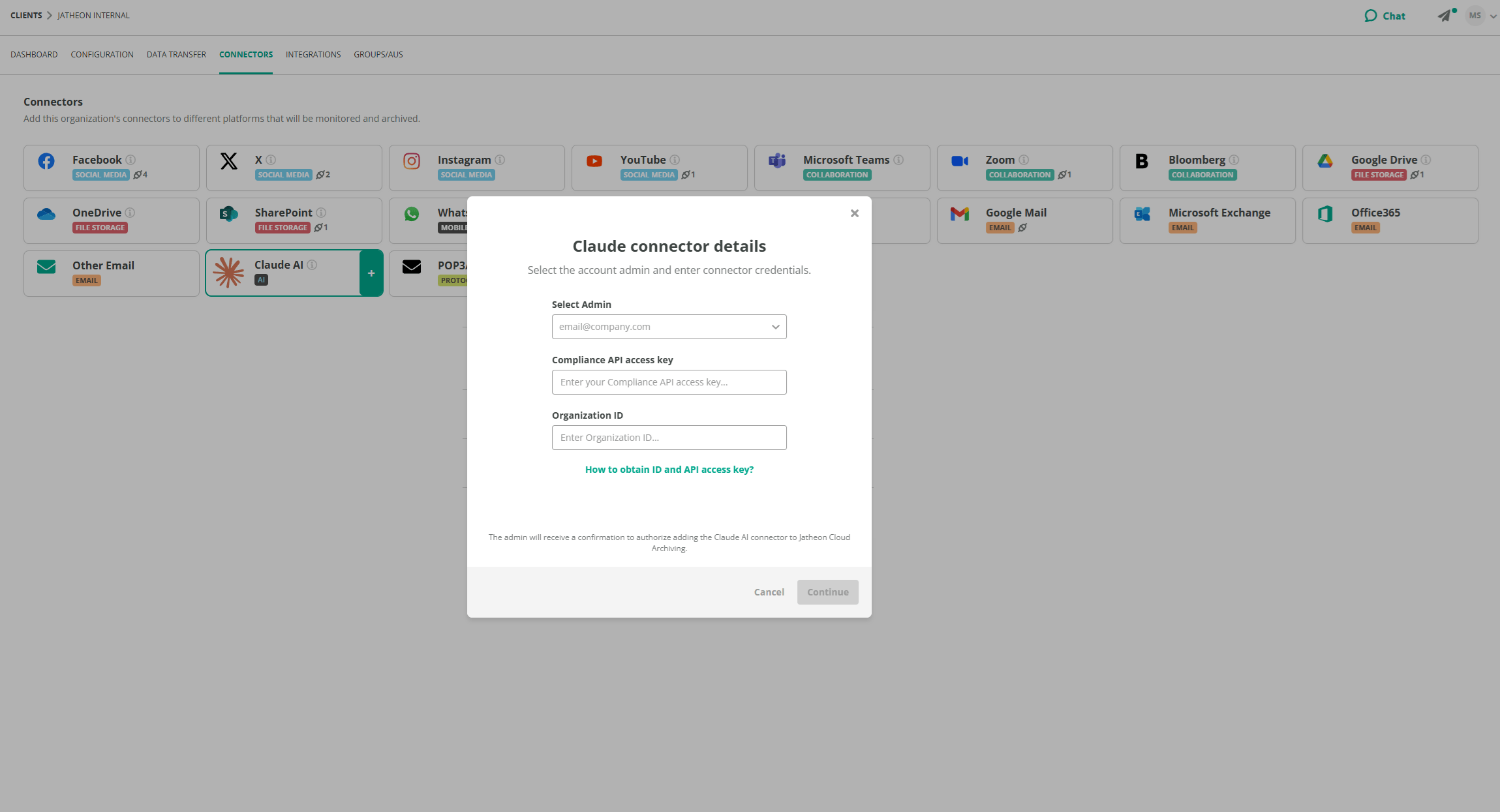
The Claude AI connector allows Admins to securely connect Claude accounts through the Connectors tab in Company Settings. Once connected, Jatheon Cloud retrieves data retroactively, making historical conversations available even if they took place before the connection was established.
Archived Claude content can be captured independently or mixed with other communication sources that an organization uses.
What the Claude AI connector enables
- Connect Claude accounts through Company Settings (only Admins can do this)
- Retrieve Claude data retroactively
- Archive conversations, attachments, and deleted interactions
- Search Claude content directly in Jatheon Cloud
- Manage results with export and tagging actions
This gives organizations a more complete view of AI-generated communications and helps reduce gaps in recordkeeping.
Search and Review Claude Data in Jatheon Cloud
Once connected, Claude data becomes searchable within the platform.
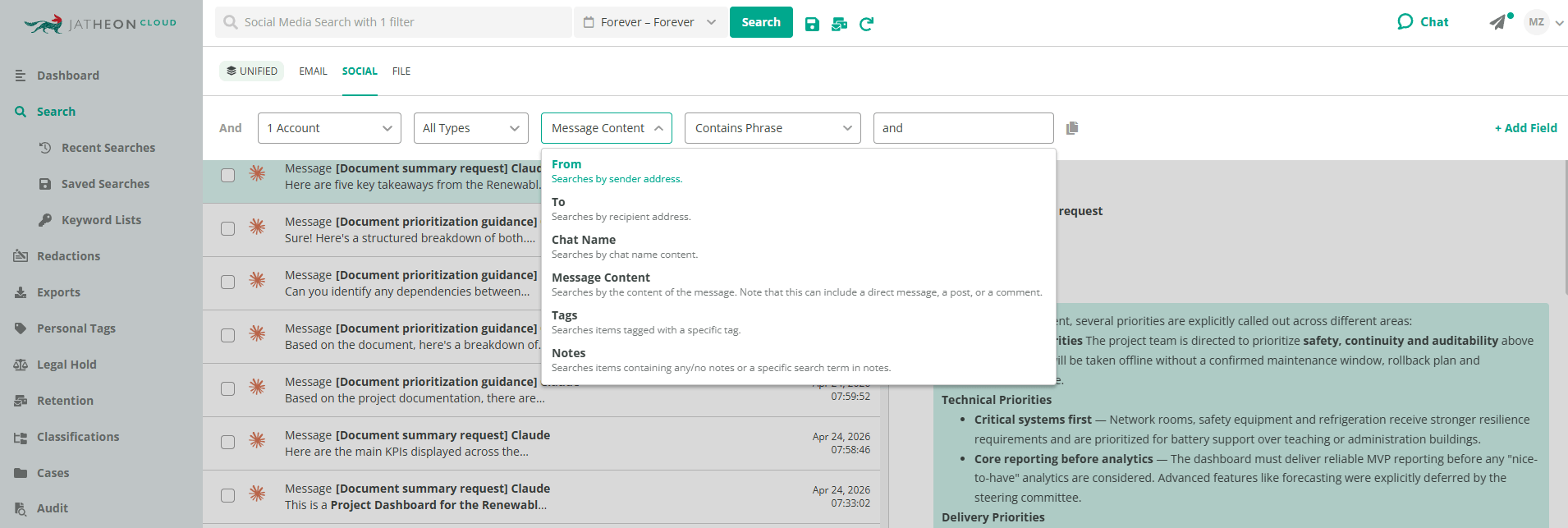
Claude results appear under the Social tab, where users can review archived AI conversations using the same general workflow they already use for other content types.
The Claude search interface includes filters for:
- From
- To
- Chat name
- Message content
- Tags
- Notes
This makes it easier to locate relevant conversations, narrow large result sets, and review specific interactions during investigations, audits, or internal requests.
Actions for Claude results
Users can take action across Claude results that include:
- Apply tag
- Remove tag
- Export
- Add note
- Add to case
- Ask AI
These actions support faster organization and review when dealing with large numbers of archived conversations.
View Full Conversations, Deleted Chats, and Attachments
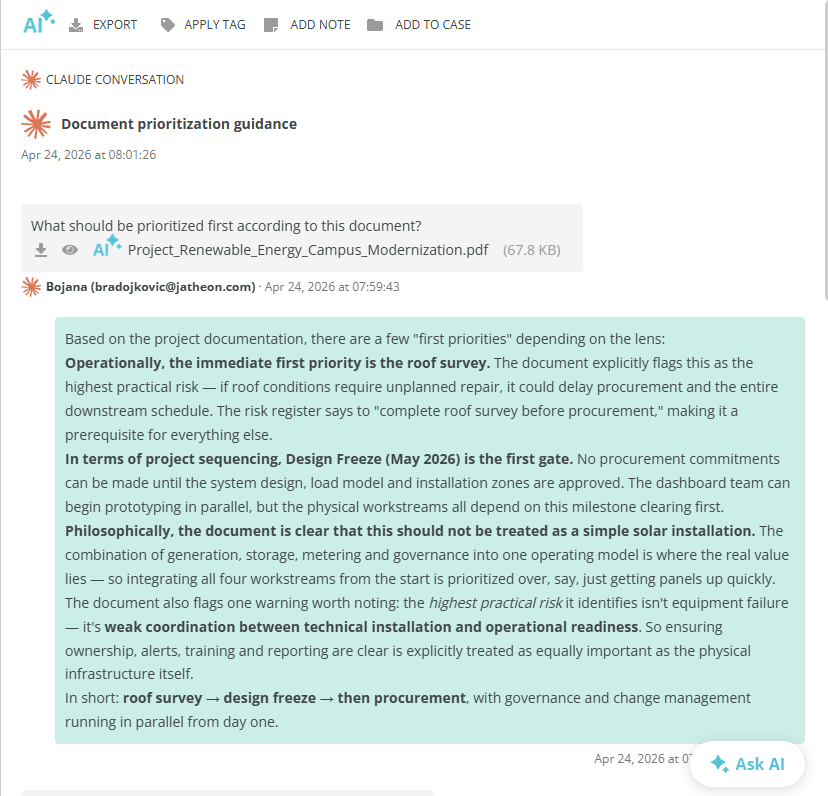
Claude conversations can be opened in full conversation view, where messages are shown with timestamps and clear formatting.
Attachments can be accessed from within the conversation and downloaded for review. Users can also interact with archived content through Liya, either for a single attachment or for the full conversation.
Deleted conversations are also identified directly in the interface, including a visible deletion indicator and deletion date.
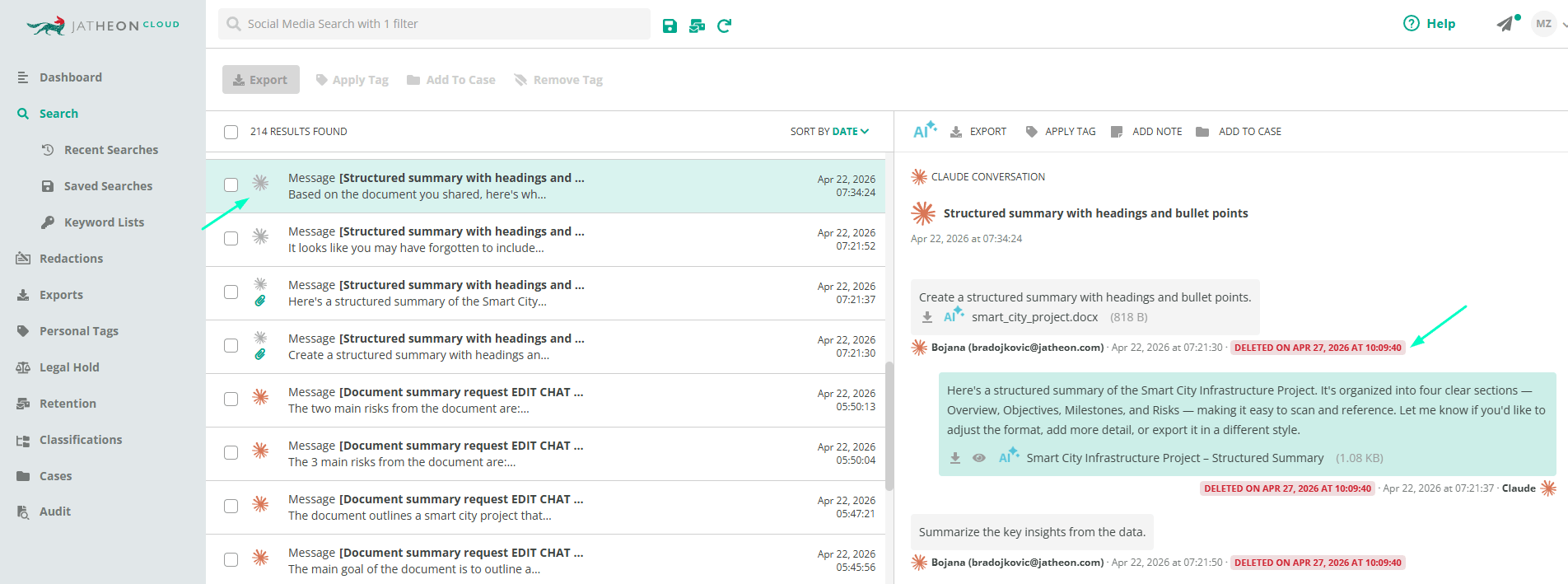
What users can review in conversation view
- Full Claude conversations with time-stamped messages
- Deleted interactions with clear indicators
- Attachments within the conversation
This helps teams preserve context and review AI conversations in a more complete way.
Why Claude AI archiving matters
AI communication tools introduce a new layer of records management complexity. Conversations may include uploaded files, generated responses, and deleted exchanges. Without centralized archiving, it becomes harder to maintain full records and respond consistently to compliance, legal, or internal review needs.
By adding Claude AI integration to Jatheon Cloud, organizations can bring these interactions into the same archive they already use for email, social, and file data.
Add Notes to Files
This release also adds note support for files.
Users can now add notes directly to archived files, making it easier to document review context, follow-up details, or internal observations. Once added, a note appears alongside the file’s information, and an icon indicates that notes are present.
Files can have multiple notes, and notes can also be deleted when needed.
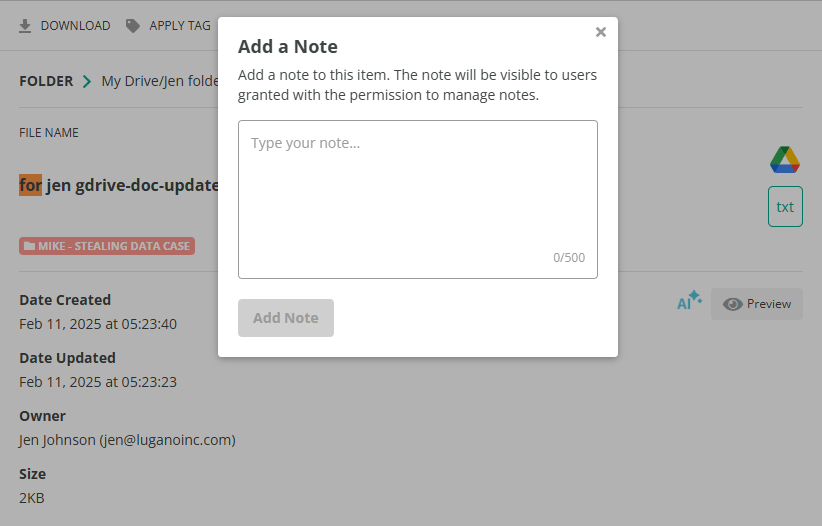
What file notes enable
- Add notes directly to archived files
- Display note indicators in file results
- Store multiple notes on a single file
- Delete notes when they are no longer needed
This is a small but useful improvement for teams that need clearer review documentation inside the archive.
Together, these updates help organizations maintain better visibility across emerging communication channels while making review workflows easier to manage.
Read Next:New on Jatheon Cloud: FOIA Request Automation, Expanded Case Tagging, and Liya Global Chat New on Jatheon Cloud: Unified Search, AI Dashboard, YouTube and SharePoint Archiving |