
When you hit the Microsoft 365 mailbox limit, the first sign is usually quiet. A records manager opens Outlook and sees a warning that the mailbox is almost full. A day later, messages fail to send, and outside senders get a rejection notice called a non-delivery report (NDR), the automatic email that tells them their message never arrived.
Here is what is actually happening. On most current Microsoft 365 plans, the primary mailbox caps at 100 GB, and Exchange Online moves through three stages: a warning at 98 GB, blocked sending at 99 GB, then blocked sending and receiving at 100 GB, per Microsoft’s published Exchange Online limits.
The system doesn’t quietly delete stored mail. Even so, a full mailbox means lost inbound messages and a rushed scramble to free space, which turns basic email storage management into an urgent problem.
How to Check and Increase Your Mailbox Size the Native Way
Check your current mailbox size
Three ways to see where a mailbox actually stands: in Outlook on the web, go to Settings > General > Storage. In the Microsoft 365 admin center, open Users > Active users, select the user, and open the Mailbox tab to see usage against quota. For a bulk view across every mailbox at once, admins can run Get-MailboxStatistics in Exchange Online PowerShell.
Increase it natively
Three levers are available, and each one still has a ceiling:
- Upgrade the license or plan. Moving a mailbox to Exchange Online Plan 2 (included in Microsoft 365 or Office 365 E3 and E5) raises the primary mailbox to 100 GB; Plan 1 mailboxes stay capped at 50 GB unless paired with an Exchange Online Archiving add-on.
- Adjust the mailbox quota directly. Admins can raise the warning, send, and send/receive thresholds with Set-Mailbox in PowerShell, but quota changes can’t exceed whatever maximum the assigned license allows.
- Enable the archive mailbox. Turning on auto-expanding archiving moves older mail into a separate mailbox that can grow up to 1.5 TB, but that’s a one-way switch with its own hard ceiling, as covered below.
Why a Full Mailbox Is a Bigger Problem than It Looks
A full mailbox looks like an IT annoyance. For a regulated organization, it can turn into a recordkeeping failure. When people react by mass-deleting email or letting messages bounce, they can destroy communications they are legally required to keep.
Regulators treat that as a serious offense. As of November 2024, the SEC reported more than $2 billion in SEC recordkeeping penalties against more than 100 firms since December 2021 for failing to preserve business communications, including more than $600 million against more than 70 firms in fiscal year 2024. The obligation behind those cases is concrete: the SEC Rule 17a-4 retention requirement makes broker-dealers preserve business communications for at least three years.
What a Real Fix for the Microsoft 365 Mailbox Size Limit Has to Do
So what actually solves this? A durable fix has to do three things. First, it must move mail out of the primary mailbox so the box stops filling. Second, it must keep every message tamper-proof and retrievable for the full retention period. Third, it must do this without forcing you to keep buying larger, still-capped Microsoft storage.
Native options hit a ceiling. Even auto-expanding archiving caps at 1.5 TB. And once you enable it, it cannot be turned off. This is where Jatheon fits: a dedicated archive that sits alongside Microsoft 365 and holds your records independently.

What Jatheon Captures from Microsoft 365
The first requirement was getting mail out of the mailbox. Jatheon captures Office 365 and Exchange email through journaling, the process where the mail server sends a full copy of every message to the archive as it is sent or received. It also pulls from 25+ other sources through Office 365 email capture, so the mailbox stops being your system of record. You can route this into cloud archiving without changing how staff use Outlook.
The second requirement was keeping records intact. Jatheon stores messages in evidentiary-quality format with metadata, full version history, and message threading. A deletion in Outlook doesn’t erase the archived copy, which matters when a cleared inbox could otherwise remove evidence.
The third requirement was avoiding capped native storage. Native retention and litigation hold, a legal instruction to preserve data relevant to a case, lean on limited quotas. For example, when a mailbox is placed on hold, the Recoverable Items folder quota expands only from 30 GB to 100 GB, and a higher-tier license is needed to use it. A dedicated archive is built instead for immutability, fast search, and compliance reporting, which is why teams choose email archiving built for compliance over stretched native tools.
What You Can Do Once Mail Is Archived
Freeing the mailbox comes first. A full inbox blocks new mail and interrupts work. Because journaling copies messages into the archive automatically, your primary mailbox stays under the 100 GB cap without anyone mass-deleting email.
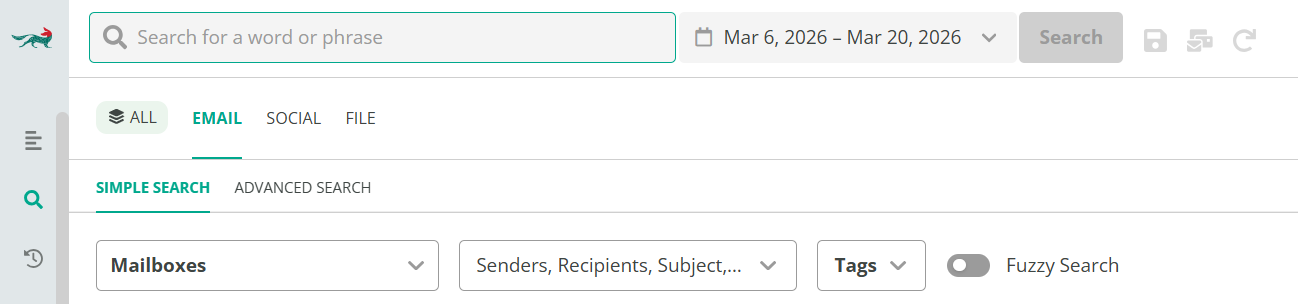
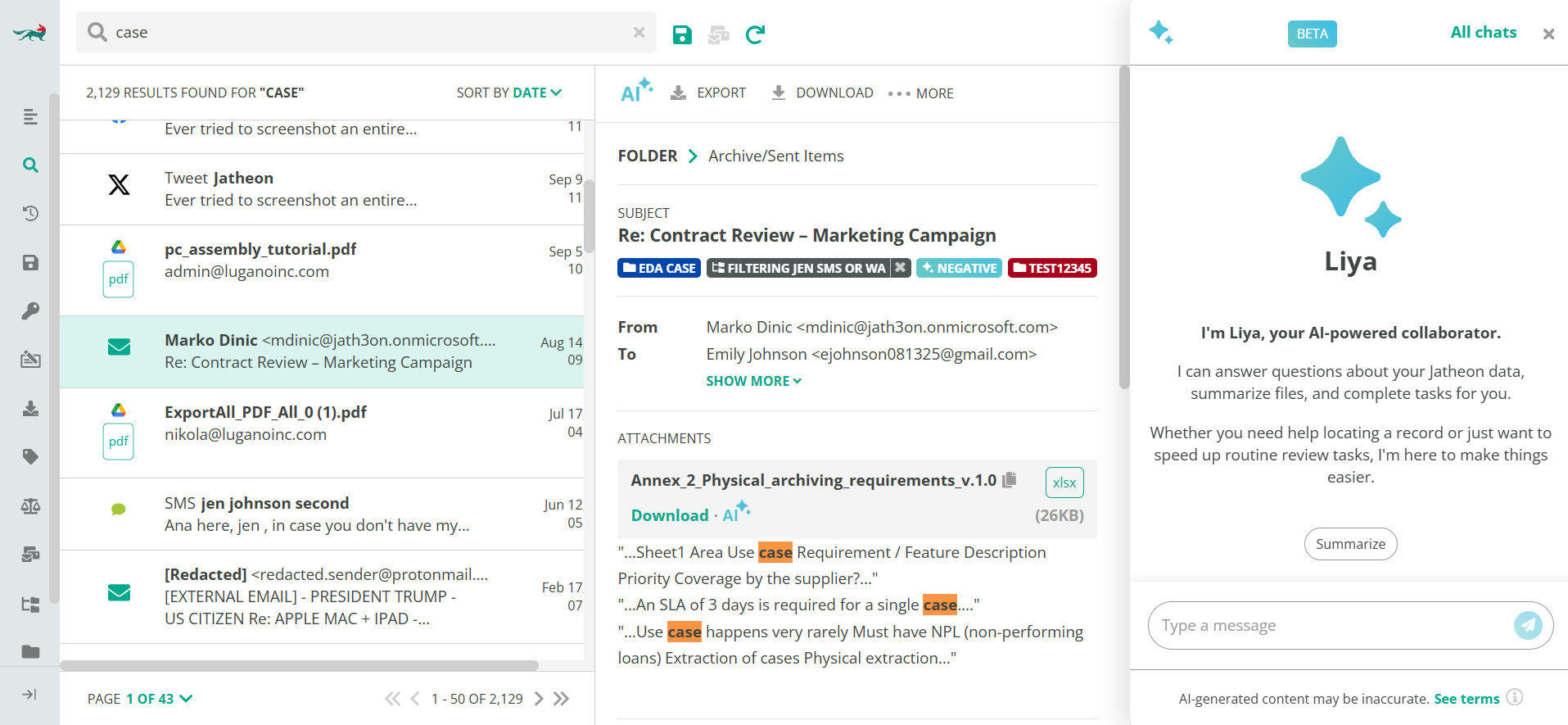
Answering an ediscovery or audit request gets faster too. Ediscovery, the process of finding and producing electronic records for legal or regulatory matters, is slow and risky when you search mailboxes by hand. Jatheon runs advanced multi-criteria searches with legal hold and export, so you produce defensible results in seconds instead of days.
Meeting retention rules by industry becomes manageable. Different mandates demand different retention periods, which is hard to track by hand. Configurable retention policies and WORM storage, meaning write once, read many, a format that prevents records from being altered or deleted, let you align to SEC 17a-4, HIPAA email retention, FINRA, and public records schedules.
Choosing your deployment is the last piece. Data residency rules can stop you from moving mail to a shared cloud. Jatheon runs in the cloud or as on-premises archiving, so you keep records where your policies require.
Jatheon has provided archiving for regulated organizations since 2004, serves 500+ global customers, and holds 21B+ archived messages. That track record is why finance, healthcare, government, legal, and education teams rely on it as their system of record.