Good ediscovery search terms are only the start of a complex search. A real request also needs the right sources, date ranges, metadata filters, junk removal, legal holds, and a record of what you searched. Jatheon Cloud handles all of it from one search screen. This guide follows one illustrative request from first term to final export.
The scenario below is invented. The company, people, and domains are fictional, and all addresses use example domains.
The Request on the General Counsel’s Desk
A complex ediscovery request rarely names one mailbox and one word. It names a topic, a time window, several people, and several channels, and it usually arrives with a deadline.
Priya Raman is General Counsel at Harbourline Commodities, a fictional trading firm with about 1,500 employees. A regulator has opened an inquiry, and a counterparty has threatened litigation. Both concern a set of fuel oil cargo trades in the third quarter of 2025. Priya must preserve the relevant records and find everything responsive.
Traders at Harbourline talk to counterparties on Bloomberg and WhatsApp, and to everyone by email. A search that covers only one of those channels is incomplete. Priya needs one search that applies the same criteria everywhere, and a defensible record of how she ran it.
| What makes the request hard | How Jatheon Cloud handles it |
| Three channels with different formats | Unified search across email, Bloomberg, and WhatsApp |
| Names, nicknames, and deal code names | Keyword lists and wildcards |
| Terms that must appear near each other | Proximity Search |
| Huge volumes of automated mail | AI Remove Junk |
| Narrowing thousands of hits | Filters and Subsearch |
| Preserving what matters | Legal Hold tags |
| Organizing and proving the work | Cases, Saved Searches, and PDF export |
Step 1: Run a Unified Ediscovery Search Across Every Source
The fastest way to avoid gaps is to search all sources together. In Jatheon Cloud, the Unified tab searches archived email, chat, and files from one search bar, so reviewers apply the same criteria to every channel.
Priya starts with a broad term, “Gulf Coast cargo,” across the Unified tab. Content, Title, and Author are searched together. Email, including Bloomberg messages, and WhatsApp chats come back in one result list. She sets the date range to July through September 2025, which is the window in the request.
This quick first pass is the start of early case assessment, because it shows how big the problem is and which channels hold the most material before she builds anything careful.
Step 2: Build the Query with Boolean Logic, Phrases, and Proximity
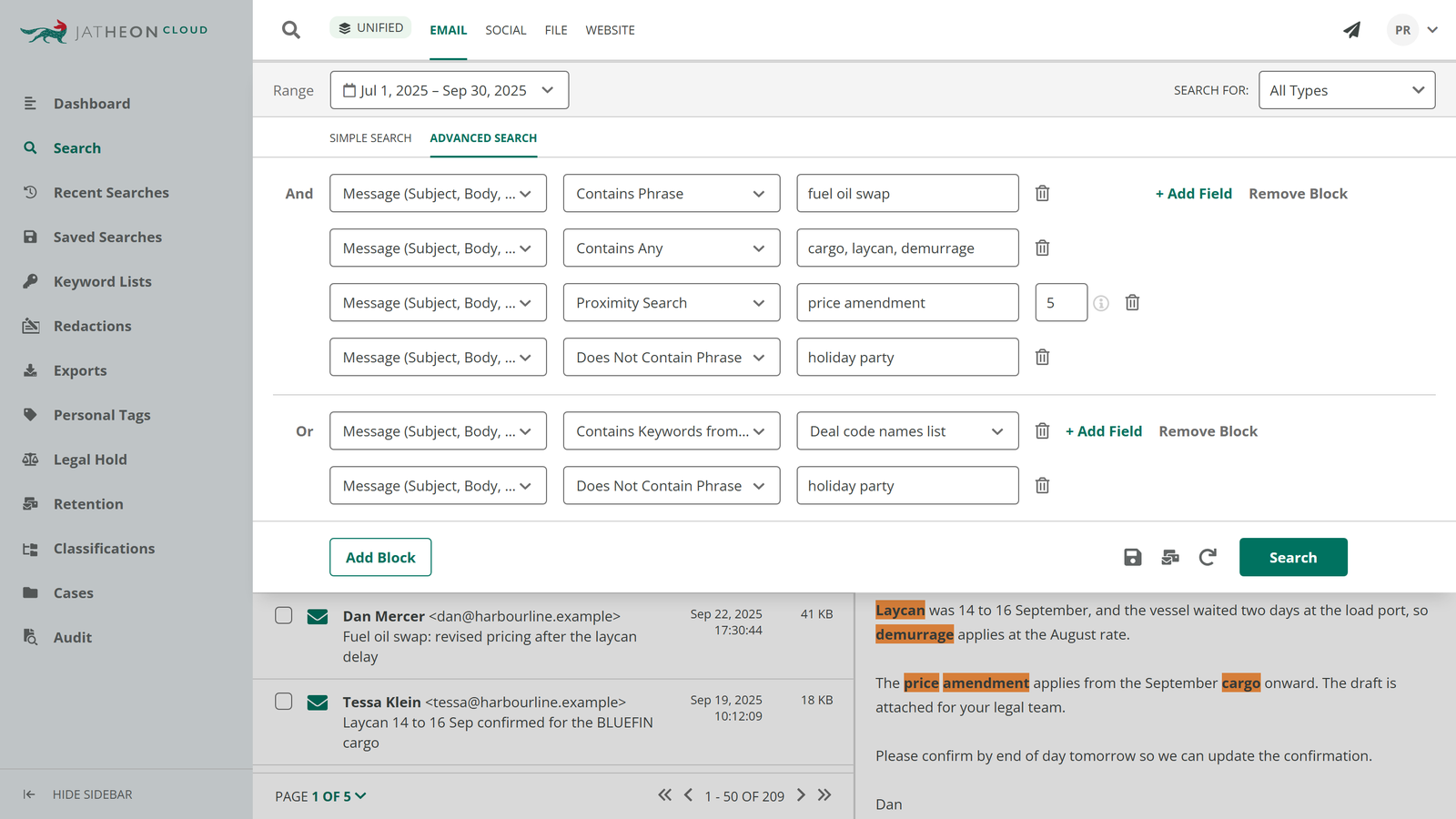
A single careful query beats 10 partial searches merged by hand. Advanced Search lets Priya build the request from blocks, each with its own conditions, joined by AND or OR.
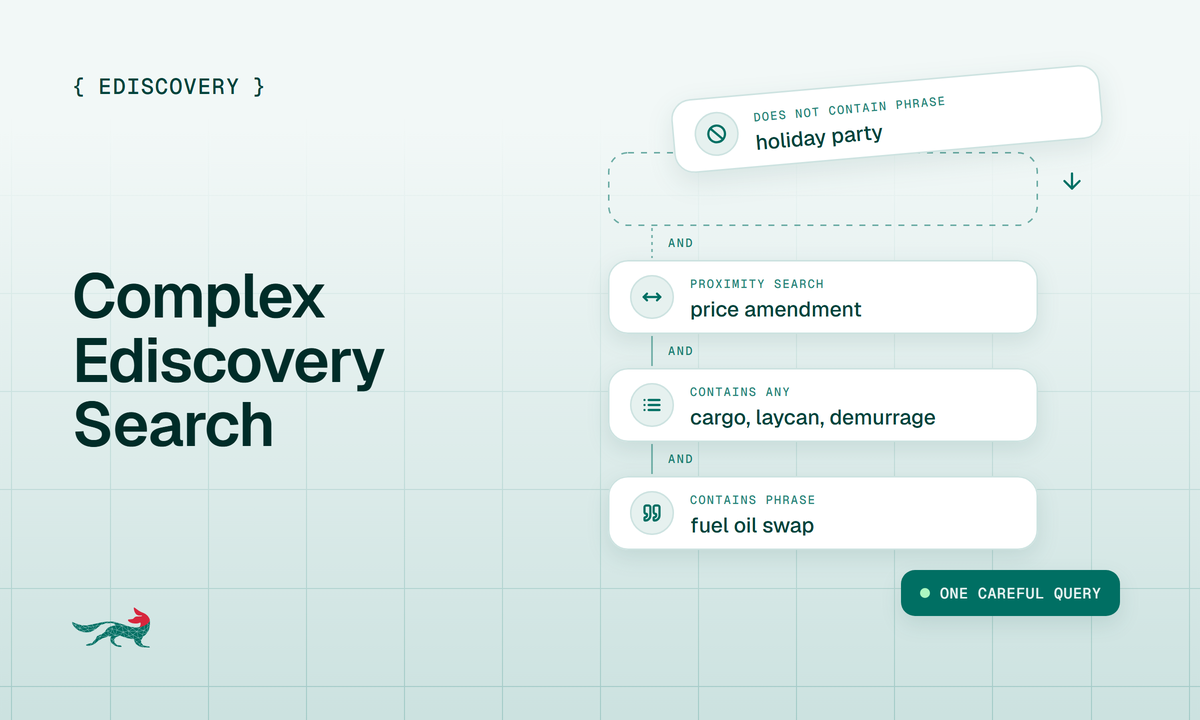
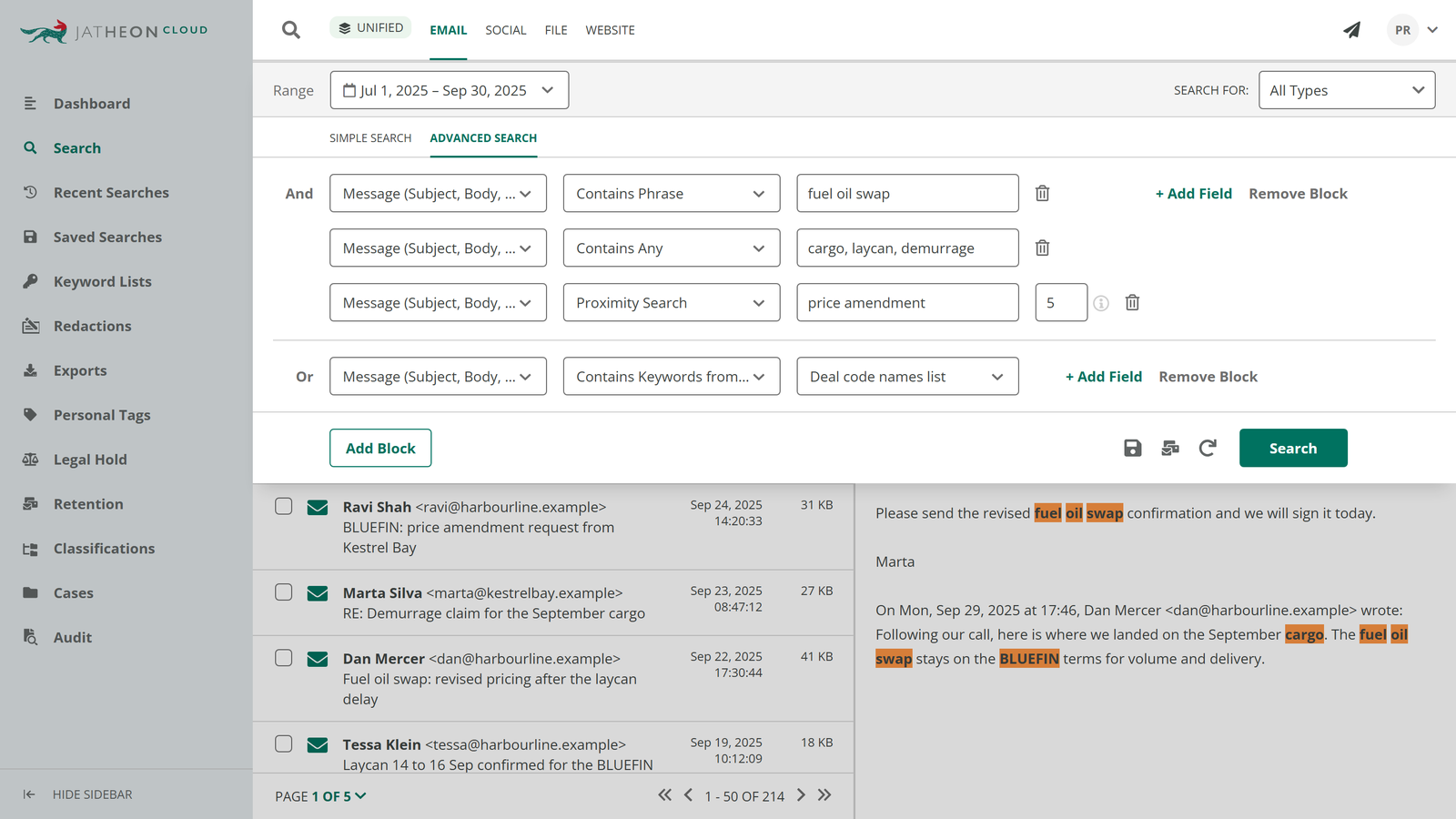
She makes one block for the trade topic and one for the people. In the topic block she combines three conditions. Contains Phrase finds “fuel oil swap.” Contains Any catches variants such as “cargo,” “laycan,” and “demurrage.” Proximity Search finds “price” and “amendment” within a set number of words of each other, which is where the interesting conversations usually sit. A second block lists the people involved. A third block uses Does Not Contain Phrase to drop a known unrelated project.
Wildcards cover word endings. An entry such as amend* matches amend, amended, and amendment. Fuzzy Search, an option in the search bar, helps when traders misspell names or use shorthand.
Ediscovery keyword search examples
| Goal | Condition in Advanced Search | Example entry |
| Find an exact phrase | Contains Phrase | fuel oil swap |
| Find any of several terms | Contains Any | laycan, demurrage, cargo |
| Require every term, any order | Contains All | price, amendment, cargo |
| Find terms near each other | Proximity Search | price amendment (a few words apart) |
| Catch word endings | Wildcard (*) | amend* |
| Exclude a noise topic | Does Not Contain Phrase | holiday party |
| Match one exact subject | Contains Exactly (Subject) | Q3 cargo reconciliation |
| Search a whole watch list | Contains Keywords from Keyword List | Deal code names list |
| Find messages with no subject | Is Empty (Subject) | No entry needed |
Step 3: Keep Names and Code Names in a Keyword List
Hold every name variant in one reusable list. Traders go by nicknames, initials, and deal code names, and Priya doesn’t want to retype them in every search.
She creates a Keyword List with the full names, short forms, and code names of the traders and counterparties. A condition such as Contains Keywords from Keyword List then applies the whole list at once. The list can also be attached to the case, so a colleague who joins later runs exactly the same terms. Short terms such as a two-letter initial work well here, because the list treats each entry as a term to match rather than free text.
Step 4: Narrow the Results with Metadata Filters
Metadata filters cut thousands of hits to a manageable set without rewriting the query. After the search runs, Priya refines the result list with date, sender, recipient, attachment, and content type conditions.
The attachments matter most. Trade confirmations and amended contracts travel as PDF and Excel files, and Jatheon indexes attachment content, so the search finds a term inside a confirmation even when the email body says only “see attached.” She filters on Content Type to keep the amended contracts and confirmations.
Next, she uses Subsearch to search within the current results. Searching for “force majeure” inside the narrowed set takes seconds and leaves the original query untouched.
Step 5: Remove Junk with AI
Automated mail clutters every large result set. Out-of-office replies, newsletters, and bounce messages match keywords but never answer the request, and reading them costs real review time.
In the AI Tags dropdown, Priya selects Remove Junk. It excludes out-of-office replies, newsletters, and bounces in one step, so reviewers open only messages that people actually wrote. The result count drops, and she doesn’t have to add an exclusion for every kind of automated mail, so the query she documents stays short.
An ediscovery keyword search still can’t judge meaning. A message that contains every term may or may not discuss the amendment. A reviewer decides, and Remove Junk simply makes sure that the reviewer isn’t wading through bounce notices first.
Step 6: Protect What Matters with Legal Hold Tags and Cases
Once the search returns the right material, preserve it and organize it. Priya goes back to the full result set from Step 2, before filters, Subsearch, and Remove Junk narrowed it, and applies a Legal Hold tag called “Q3 Cargo Inquiry” with Apply Tag. Preservation has to cover everything potentially relevant to the inquiry, while review can focus on what’s responsive. Items under a legal hold are protected from expiry, and the tag can be set to stay indefinitely.
She then opens a new case, names it for the matter, and adds the tagged items with Add To Case. The case holds the emails, chats, notes, keyword lists, and audit logs for the matter in one place. Her outside counsel gets access to the case without access to the whole archive. When the matter ends, she can close the case so nothing new is added.
Step 7: Export the Evidence with the Search Criteria
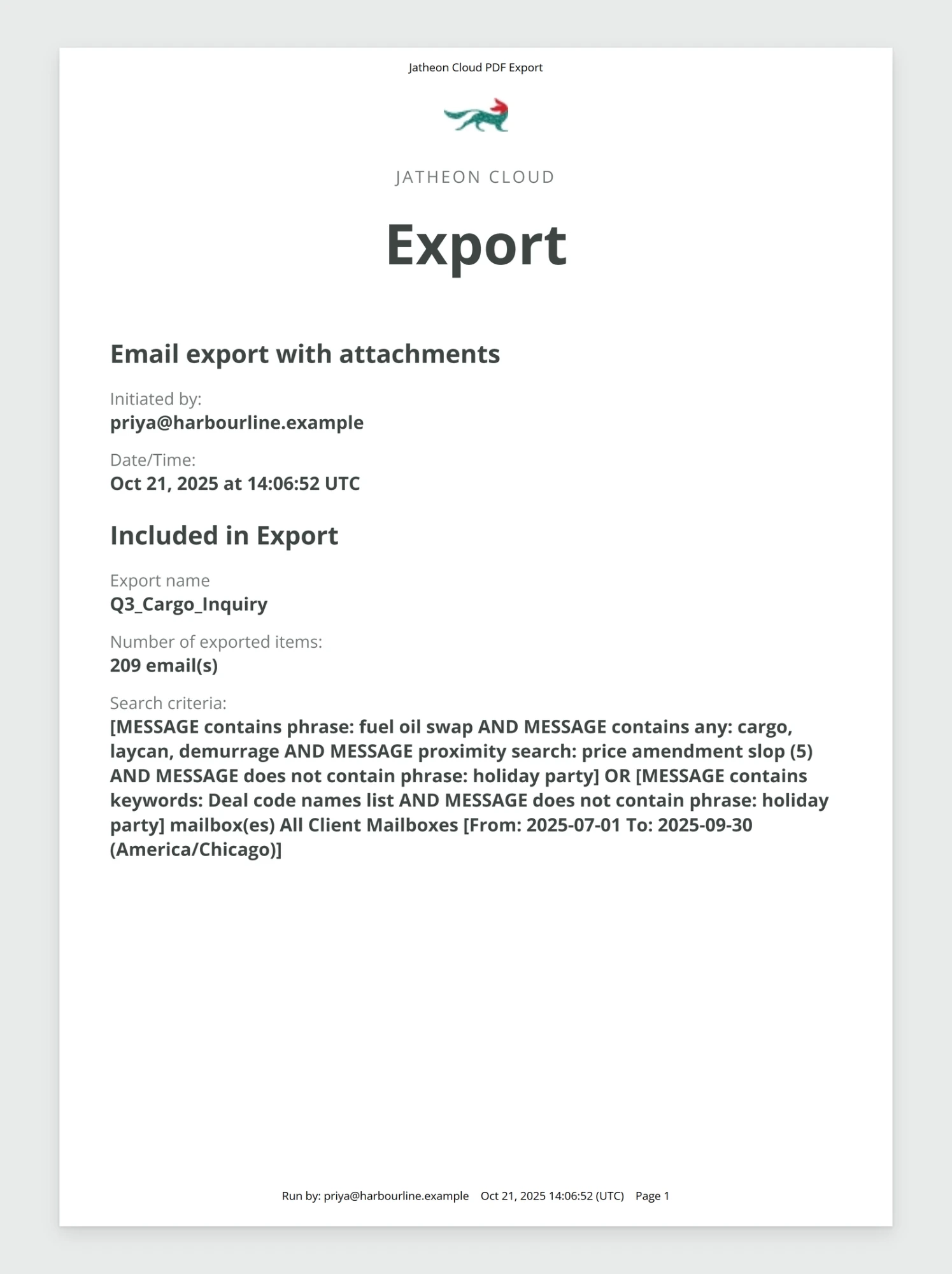
A defensible response records how the search was run as well as what it found. Priya saves the search with Save this search, so the exact criteria are available later under Saved Searches. She then exports the case as a PDF, and the export records the search criteria used.
If the regulator asks how a message was found, or why one wasn’t, Priya has the answer in the document: the sources, the date range, the terms, and the filters. The audit log adds who searched, when, and what they did with the results.
Questions to Ask Your Archive Before a Complex Ediscovery Search
- Does the search cover every channel in scope, including WhatsApp and Bloomberg, or only email?
- Can reviewers apply identical criteria to every source?
- Can you search inside attachments as well as message bodies?
- Can you remove automated mail before review rather than after?
- Can you place a legal hold directly from the results?
- Does the export show the search criteria you used?
Rule 26(f) of the Federal Rules of Civil Procedure (FRCP) requires parties to discuss preservation and electronically stored information (ESI) when they plan discovery, which is why these answers belong in your FRCP 26(f) meet and confer preparation.
Court guidance such as the District of Minnesota’s guide to ediscovery at Rule 26(f) conferences also suggests discussing search terms, hit counts, and how keywords will be tested.