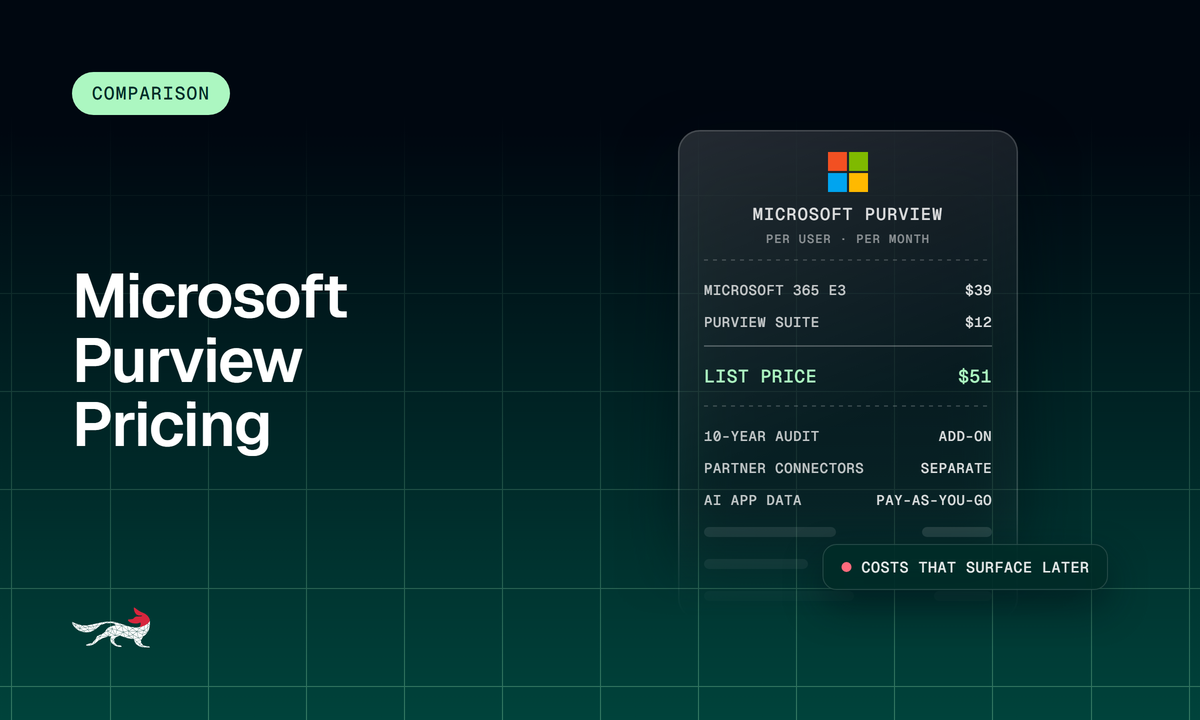
Microsoft Purview pricing is mostly a licensing question. Purview features come bundled in Microsoft 365 E3 and E5, or you add them to E3 with the Microsoft Purview Suite at $12 per user per month. Storage for Microsoft 365 data is included, and the charges that surface later come from premium ediscovery licensing, long audit retention, pay-as-you-go storage for some data types, and third-party connectors for anything outside Microsoft.
That makes the Microsoft Purview cost low for a team whose communications all live in Microsoft 365, and harder to predict for a team that also archives mobile messaging and chat apps such as Slack and Zoom.
This guide walks through the four cost layers, what each tier includes, and where the bill grows.
How Microsoft Purview Is Licensed
Purview is licensed per user, as part of a Microsoft 365 plan or an add-on to one. Microsoft’s service description states that any user who benefits from a Purview feature needs a license, and that includes mailbox owners, Teams chat participants, and the owners and members of SharePoint sites under a policy or hold.
There are three ways to buy it:
- Microsoft 365 E3: Includes ediscovery (Standard) and Audit (Standard).
- Microsoft 365 E5: Includes the full Purview set, including ediscovery (Premium) and Audit (Premium).
- Microsoft Purview Suite: An add-on that extends E3 with the E5-level compliance features. Microsoft requires an E3 license underneath it.
Inactive mailboxes don’t need a usage license, which matters for departed employees.
The Four Cost Layers of Microsoft Purview
The Microsoft Purview cost has four layers, and only the first is a clean per-user price. The other three depend on how many people fall under a policy or hold, whether your cases include data from non-Microsoft AI apps, and how much you export through the API.
1. Plan or add-on licensing
Microsoft’s 2026 pricing update raised list prices for new subscriptions and renewals on July 1, 2026, and existing customers keep their current price until renewal. Microsoft 365 E3 is now $39 per user per month, up from $36, and Microsoft 365 E5 is $60, up from $57. Those are prices for the versions that include Teams, while the versions without Teams list at $30.45 and $51.45. The Microsoft Purview Suite is listed at $12 per user per month on an annual, auto-renewing subscription, so E3 plus the Suite comes to $51 per user per month at list. Negotiated enterprise rates differ from list.
2. Per-user scope
Every user covered by a policy or hold needs the right license. Premium ediscovery adds a second rule. When you analyze someone’s data in ediscovery (Premium), the person whose data is analyzed and the administrator doing the analysis both need the premium license or add-on. If only part of your workforce is on E5, you license the custodians you intend to put under premium review.
3. Storage beyond what’s included
Microsoft 365 data held in ediscovery cases is covered by your subscription. Data from non-Microsoft 365 AI apps falls under pay-as-you-go ediscovery billing through an Azure subscription and is charged by volume when you add it to a review set or export it.
4. API exports
On E3, ediscovery exports through the Microsoft Graph API are free up to 50 GB a month per tenant and cost $10 per GB after that. Exports from cases with premium features turned on aren’t billed, and other Graph API calls don’t count toward billing. An E3 legal team that automates large productions for outside counsel should model this line item.
What Each Tier Includes
Purview is a capable platform inside Microsoft. The table below uses the Microsoft Purview service description and the Purview audit documentation, and it covers the features that compliance teams usually ask about first.
| Capability | Microsoft 365 E3 | Microsoft 365 E5 or Purview Suite on E3 |
| Ediscovery (Standard): case management, search, hold, export | Included | Included |
| Ediscovery (Premium): custodians, review sets, analytics, predictive coding | Not included | Included |
| Audit log retention | 180 days (Audit Standard) | 1 year by default for Exchange, SharePoint, OneDrive, and Entra records; up to 10 years with a per-user add-on |
| PST import to Exchange Online mailboxes | Included | Included |
| Archive mailbox | Auto-expanding, up to 1.5 TB | Auto-expanding, up to 1.5 TB |
| Third-party data connectors | Not included | Included, partner services billed separately |
For a team that lives in Exchange, Teams, SharePoint, and OneDrive, the E5 tier gives a legal team case management, custodian notices, review sets, and analytics without another vendor. That is a real strength, and for a Microsoft-only organization it can be the simplest route to defensible search.
Is Microsoft Purview FINRA Compliant?
Microsoft has an independent assessment that covers the storage requirements behind FINRA recordkeeping. FINRA Rule 4511(c) defers to the format and media requirements of SEC Rule 17a-4(f), and Microsoft publishes a Cohasset Associates assessment against 17a-4(f), FINRA 4511(c), and CFTC 1.31(c)-(d). It covers SharePoint, OneDrive, Teams, Exchange, and Viva Engage.
Cohasset’s opinion is conditional. Cohasset concluded that the assessed services meet the five storage requirements in those rules, provided the compliance features are configured and managed the way the report describes.
Two practical points follow. First, the opinion rests on configuration, so your retention and preservation settings decide whether you are inside it. Second, the assessment covers the Microsoft 365 services named in it.
Messages that arrive from a third-party archiving service through a connector are a separate question to settle with your compliance counsel and the partner. Under the SEC’s 2022 amendments to Rule 17a-4, firms can meet the electronic recordkeeping requirement with either WORM storage or an audit-trail alternative, and firms still own the compliance decision. Jatheon supports FINRA and SEC compliance by capturing email, collaboration tools, mobile, website and social media in one archive, so channels outside Microsoft 365 don’t depend on a separate connector agreement. As with any tool, the firm still owns its compliance program.
The Costs That Surface Later
The base Purview price covers Microsoft sources, and the later charges come from everything around them. These are the three that buyers most often miss when they scope a Purview project.
- Non-Microsoft channels: Purview imports outside data through data connectors, and partner connectors need a separate business relationship with the partner. Microsoft names TeleMessage, 17a-4 LLC, and CellTrust as its third-party data connector partners and says you set up the partner’s archiving service before you create the connector in Purview. The partner sets the price, and the imported data lands in user mailboxes. Veritas connectors were retired on June 30, 2024, so teams that relied on them had to find another route.
- Long retention: Audit records beyond one year, and up to 10 years, need a per-user add-on license. Archive mailboxes are capped at 1.5 TB, so size your retention schedule against that limit.
- Connector licensing: Data connectors come only with E5, the Purview Suite, and other E5-level plans, and every user whose data you import needs that license. On E3, that means upgrading each of those users before any partner fee.
Each connector is its own commercial relationship with its own contract, support, and service levels, so coverage and quality vary from one partner to the next. Partner fees sit on top of the per-user license, so add them in before you weigh Purview against Microsoft Purview alternatives built for multichannel archiving.
Where Purview Fits and Where a Dedicated Archive Fits
Purview fits best when almost all of your regulated communication happens inside Microsoft 365. A dedicated archive earns its cost when you also need Slack, Zoom, mobile messaging, or social media in the same searchable record. Some teams keep Purview for retention inside Microsoft 365 and also capture email and Teams in a dedicated archive, so every channel is searchable in one place.
How Jatheon compares on commercial model
Jatheon archives email, collaboration tools, mobile, and social media in one cloud archive, so the channel list doesn’t turn into a list of partner contracts. As a Microsoft 365 archiving alternative, it keeps the commercial terms predictable:
| Microsoft Purview | Jatheon | |
| Commercial model | Per user, by plan or add-on, plus pay-as-you-go for some data | Per active mailbox, in 1-, 3-, or 5-year terms |
| Non-Microsoft channels | Partner connectors under separate contracts, plus E5 or Purview Suite licensing | Covered in the same archive |
| Inactive mailboxes | No usage license needed | Free |
| Migration into the archive | Customer-managed or partner-led | Priced up front after a one-hour technical review |
| Training and support | Per your Microsoft agreement | Training and 24/7 support included |
| Live archiving | Starts when policies and connectors are configured | Live archiving from day one |
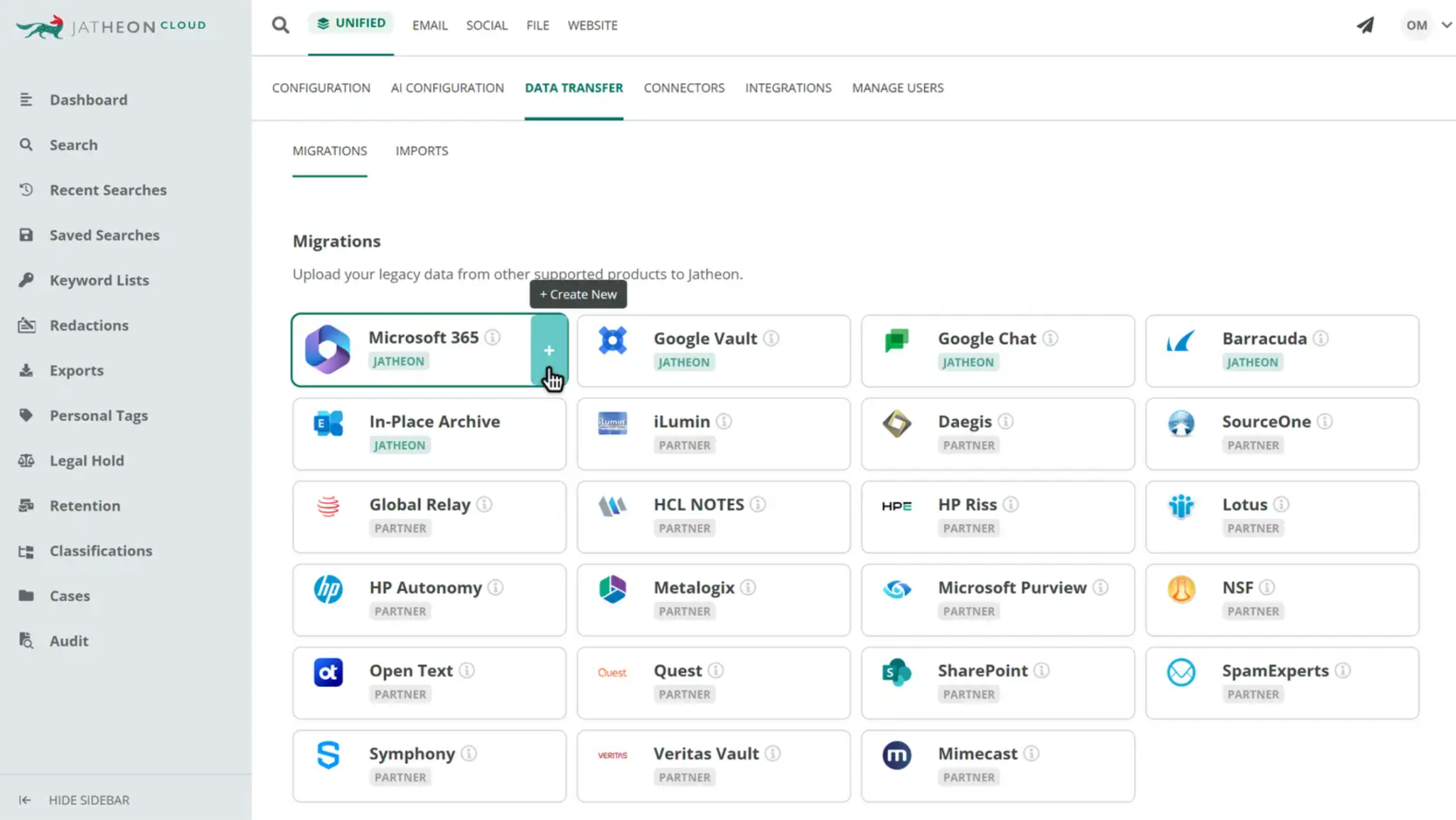
Moving history from another archive into Jatheon follows the same up-front pricing. Ediscovery searches and compliance policies run across every archived channel in one place.
Questions to Ask Before You Budget for Purview
- Which channels must be archived? List every regulated channel and mark the ones outside Microsoft 365.
- Who needs premium ediscovery? Count the custodians and administrators who need ediscovery (Premium).
- How long must records stay searchable? Compare your retention schedule with the audit and mailbox limits above.
- What does each connector partner charge? Get quotes in writing before you commit to the plan.
- Who owns the settings that keep you inside the Cohasset assessment? Assign an owner for configuration.