A Quest Archive Manager migration is hard because each archived email can be split across a SQL database, an attachment file store, and a shortcut in the user’s mailbox. If a migration misses one of those pieces, the email arrives incomplete or not at all.
The safe approach counts every item against the source, lists anything it skips, and keeps archiving live while the history moves. This guide covers where data goes missing and how to prevent it.
Quest Archive Manager is on-premises software that many city governments, schools, and enterprises installed more than a decade ago. Quest has announced the end of support for every version of Archive Manager. According to Quest’s lifecycle table, versions 5.9.6, 5.10, and 5.11 move to limited support on March 2, 2027, and support ends on March 2, 2028. Version 5.9.5 lost support on July 1, 2026. The archive still holds records you are required to keep. If you run Archive Manager for Exchange, the former Metalogix product, Jatheon migrates that archive too.
Why Teams Plan a Quest Archive Manager Migration
Most teams move because Quest is ending support and the servers behind the archive are aging, even while the archive itself still works.
- Support timelines: After March 2, 2028, Quest no longer releases fixes or patches for any Archive Manager version, which leaves a server nobody can patch holding years of records.
- Aging infrastructure: The archive depends on a specific SQL Server version, IIS, Windows services, and an attachment store on a file share, all of which your team has to keep running.
- Microsoft 365: Archive Manager 5.10 can’t install its Outlook form for Microsoft 365 mailboxes, so users open archived mail through a link in each shortcut that points to the Archive Manager website, and those links stop working once the Quest server is retired.
- Scale: One U.S. city we spoke with runs an unsupported on-premises Quest archive for about 5,800 users, with roughly 23 TB of deduplicated data.
Where a Quest Archive Manager Migration Loses Data
Data goes missing where Quest splits an email across systems and in the jobs that run around the archive, so each risk point needs its own check.
These are the eight risk points we plan for, taken from Quest’s public documentation and our own work on Quest archives.
| Risk point | What goes wrong | What Jatheon does |
| 1. Shortcuts (stubs) in mailboxes | Quest replaces archived mail in Exchange with a shortcut. Depending on your shortcut settings, it may keep the header and some or all of the body, but attachments and the full item live only in the archive. A shortcut can also outlive its archive copy when a retention policy deletes the archived item, and deleting shortcuts after the move, as common migration tooling does, erases the last trace of that email. | Matches each shortcut to its archived item. A shortcut with no archive copy is migrated and flagged, never deleted. |
| 2. Database vs. attachment store | Message text sits in SQL, but each unique attachment is a separate file on a store, with no compression or encryption. A database export misses files. A missing file breaks the message it belongs to. | Delivers the message even if an attachment file is gone, marks the gap, and lists it in the report. |
| 3. One copy, many mailboxes | Quest stores a message once and links it to every mailbox that holds it. Export per mailbox and one email arrives five times. Export per message and you can lose who held it. | Migrates each message once and keeps every holder, so each person still finds it and storage is not multiplied. |
| 4. Checksums that collide | Quest’s message checksum is not a pure content hash. Quest KB articles describe identical-looking mail sharing one checksum, and a follow-up flag creating a second entry for the same mail. | Never trusts a checksum as proof of identity, so distinct emails are not merged. |
| 5. Journal vs. mailbox archives | A journal archive holds a copy of messages for many recipients, often at multi-terabyte scale. Quest’s own migration guide splits journal data because of Microsoft mailbox size limits. | Brings journal and mailbox archives into one archive with no size ceiling, and reports the totals for each. |
| 6. Orphans and departed users | Items with no owner end up in an “_Orphans” mailbox. Tools that start from active users never see them. | Migrates ownerless and departed-user items too. Inactive mailboxes are free. |
| 7. Retention and legal holds | Quest’s retention service deletes mail on schedule, and a legal hold is what suspends it. A migration that runs while retention does, or that drops hold status, can destroy records you must keep. | Migrates every item still present and recreates legal holds in Jatheon before the old archive is switched off. |
| 8. Silent failures and partial exports | Large exports fail partway. A PST that opens is not proof it is complete. | Counts every item against the source by day, pauses on any mismatch, and retries failures automatically. |
Other item types
Quest archives hold calendar items and tasks as well as email. Ask any vendor how those are handled, and expect them to appear in the report, not vanish.
Your Options for Exporting a Quest Archive
Your options differ mostly in who does the work and who proves it is complete. Quest offers its own migration tool for Archive Manager, priced by quote.
| Option | Cost per TB | Speed | Who does the work |
| Quest’s own migration tool | Not published, quoted by Quest | Not published | Your IT team or Quest’s services team |
| Third-party export firm | $1,500 to $2,700 | About 1 to 5 TB per week | The firm, with your IT team supplying access |
| Jatheon migration | About half the third-party rate | About 1 to 5 TB per week | Jatheon, using a light on-site footprint inside your network |
| Manual export with Quest’s own tools | No fee | Months to years of staff time | Your IT and records staff |
For a 4 TB archive, a third-party firm costs about $6,000 to $10,800, and Jatheon is about half that, priced up front after a one-hour technical review.
How Jatheon Handles a Quest Archive Manager Migration
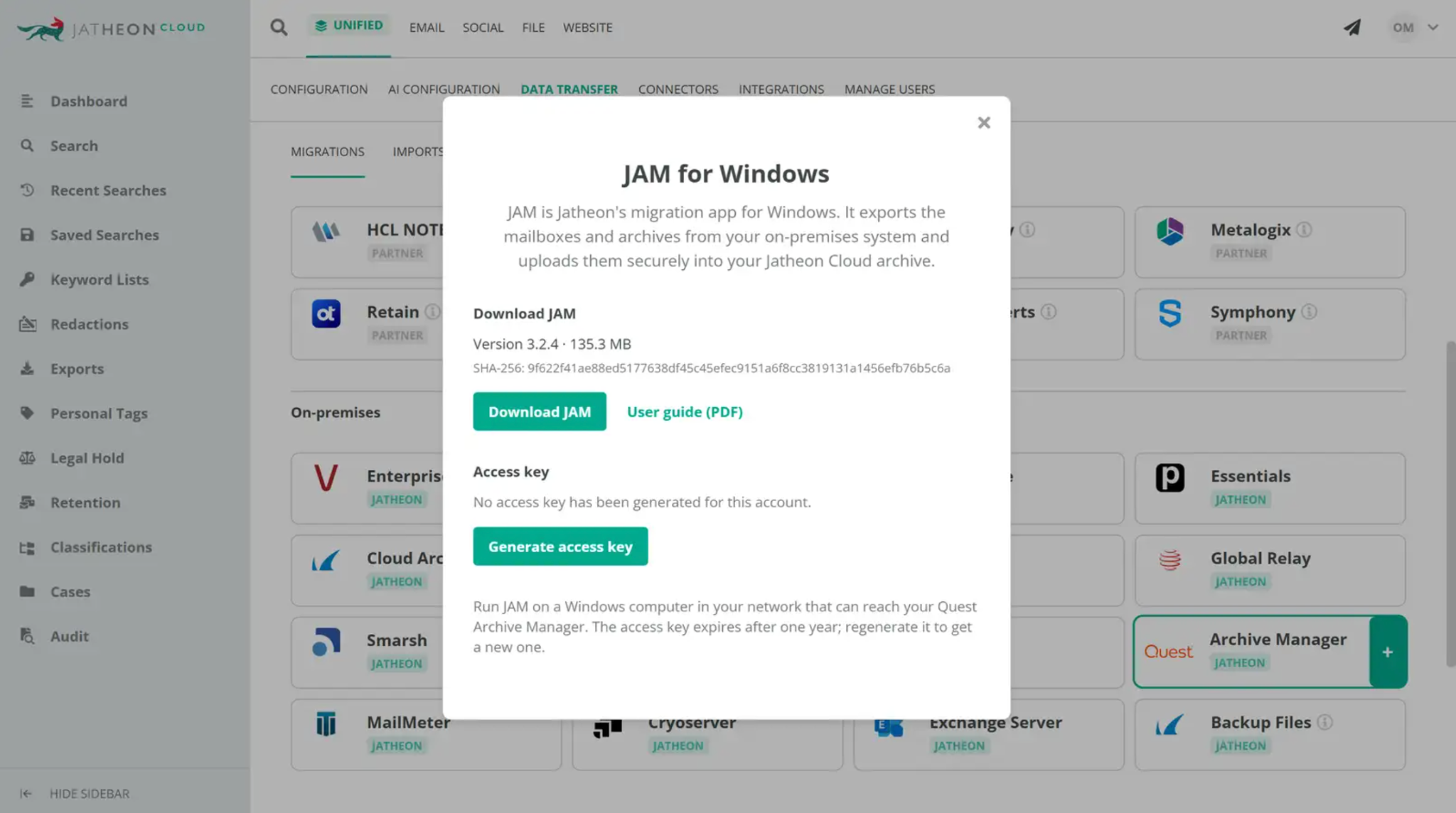
Jatheon migrates directly from Quest Archive Manager into your Jatheon cloud archive. Because Quest is on-premises, a small Jatheon component runs inside your network with read-only access, so no data leaves your control before it is delivered to your own account.
- Every item counted: What arrives is counted against what Quest holds, day by day, and a mismatch stops the run.
- Nothing silently dropped: Anything that could not be migrated, and the reason, is listed in a downloadable report.
- Read-only on your side: Nothing is deleted or changed in your Quest archive or your mailboxes.
- Automatic retry: Failures are retried, and Jatheon Support is alerted if a run stalls.
- Live archiving from day one: Journaling points to Jatheon first, so new email is archived while history moves.
- Audit trail: Actions are logged for chain of custody.
A per-day list of every item and its outcome is delivered with the final report, so your records team can sample it against Quest before the old server is retired.
Manual Export vs. Jatheon Quest Migration
| Manual export or third-party tool | Jatheon migration | |
| Proof of completeness | Export logs you reconcile yourself | Counts checked against Quest, skipped items listed in a report |
| Shortcuts | Often deleted after the move | Matched to archive items; unmatched ones flagged, not deleted |
| Failures | Found later, re-run by hand | Retried automatically, Support alerted |
| Coverage during the move | Often a gap between old and new archive | Live archiving from day one |
| Beyond email | A second tool for collaboration tools and mobile | One archive for all of them |
Keeping the Archive Defensible During the Move
Keep Quest running, read-only, until you have filed the final report.
FINRA Rule 4511 sets a six-year default retention for broker-dealer records, and the SEC’s 2022 amendments to Rule 17a-4 allow WORM storage or an audit-trail alternative.
Either way, records must stay complete and producible. Government teams also have public records obligations that continue through a migration.
Once history is in Jatheon, ediscovery search covers it alongside Microsoft 365 email, Teams, Slack, and mobile messages.
What It Costs to Leave Quest
- Migration priced up front: One quote after the technical review.
- Inactive mailboxes are free: Former employees’ history is kept at no extra charge.
- Terms that fit: One-, three-, and five-year agreements.
- Support included: Training and 24/7 support.
Questions to Ask Before Your Quest Archive Manager Migration
Ask Quest
- Will Continuing Support be available for our version after March 2, 2028, and what will it cost?
- What does Quest’s own migration tool cost for our archive, and how long will it be supported?
Ask any migration vendor
- How do you handle shortcuts that have no archive copy?
- What happens when an attachment file is missing?
- How do you migrate journal archives, orphaned items, and departed users?
- How do you prove every message arrived?
- Will there be a gap in archiving during the move?