A GFI Archiver migration moves the email history stored in your GFI SQL Server databases into a cloud archive where it stays searchable, without a long export project on your side. With Jatheon, you hand over a SQL Server backup of each archive store, and Jatheon converts the mail, checks the count against your source, and delivers it into your own archive.
The timing matters more than most teams expect. When a GFI subscription expires, search and export in the GFI tool stop working, and the mail you spent years retaining becomes hard to reach.
This guide covers what GFI Archiver holds, what it costs to get the data out, and how to plan the move before you renew.
What Is GFI Archiver, and Where Does It Stand Today?
GFI Archiver (sometimes searched as GFI Mail Archiver) is an on-premises email archiving product that stores messages in Microsoft SQL Server databases, with separate full-text index folders for search. Many organizations bought it years ago for Exchange journaling and have kept it running mostly to look up old email.
The product is mature. GFI’s own lifecycle table lists version 15.3, built in September 2022, as the newest release, and GFI’s policy is to end support for earlier versions about 12 months after a major release.
In January 2026 GFI moved its North American distribution to a single partner, Zebra Systems. The legacy price lists of some resellers also show GFI Archiver renewal SKUs as discontinued, so confirm your renewal options directly before you plan around them.
None of this is a reason to panic. It is a reason to decide on your own schedule whether the archive stays on a server you maintain.
Why Teams Plan a GFI Archiver Migration
Teams usually move for four reasons: server upkeep, license cost, lock-in, and a wish to archive more data sources than email.
- Server upkeep: A SQL Server and file store that nobody wants to patch is a security burden for a system you rarely search. One school district IT manager told us the team can no longer keep up with on-premises vulnerabilities and maintenance.
- Recurring license cost: If the archive is read-only history, a yearly renewal buys very little. Several organizations we talk to want to retire the GFI server before the next renewal.
- Lock-in: The archive sits behind a license. When it expires, the tool stops searching and exporting.
- Coverage: Teams that now need to archive chat apps, mobile, social media, websites, and other channels in one place find an email-only archive too narrow.
What happens when a GFI license expires
An IT services firm contacted us after a client’s GFI Archiver license expired. Search and export in GFI had been disabled, so the standard export route was closed, and the client could not read its own historical email through the tool.
The databases were still on disk, and Jatheon’s support team worked from them to recover and migrate the mail. The migration finished in July 2026 at about 1.05 TB and 3.8 million emails.
The lesson is simple. Keep the license active until the data is out, and keep the database backups safe in the meantime.
Four Ways to Export a GFI Archive
You have four routes out of GFI Archiver, and they differ mostly in who does the work and what it costs per terabyte. GFI is on-premises software, so there is no vendor-run paid export service to compare against, and the table says so.
| Option | Cost per TB | Speed | Who does the work |
| 1. Vendor export | No paid vendor export service that we know of for GFI Archiver. Other vendors’ archive exports run $10,000 to $20,000 per TB. | N/A | N/A |
| 2. Third-party export firm | $1,700 to $2,700 | About 1 to 5 TB per week | The firm, after you grant access |
| 3. Jatheon migration | About half the third-party rate | About 1 to 5 TB per week | Jatheon, once you hand over the SQL Server backups |
| 4. Manual export with GFI’s own tools | No fee, but months to years of staff time | Slow, and only while the license is active | Your IT team |
For a 4 TB archive, a third-party firm costs roughly $6,800 to $10,800. Jatheon’s migration costs about half of that.
The manual route deserves a closer look before you pick it. GFI documents an import/export tool and a separate method for exporting an archive store to EML, and both take careful setup per store. They also depend on a current license, which is the same dependency that causes lock-in.
How a GFI Archiver Migration to Jatheon Works
Jatheon migrates a GFI archive from a full SQL Server backup of each archive store, so your team does not run exports or move files by hand. You don’t need to send the full-text index folders, because they only hold search indexes.
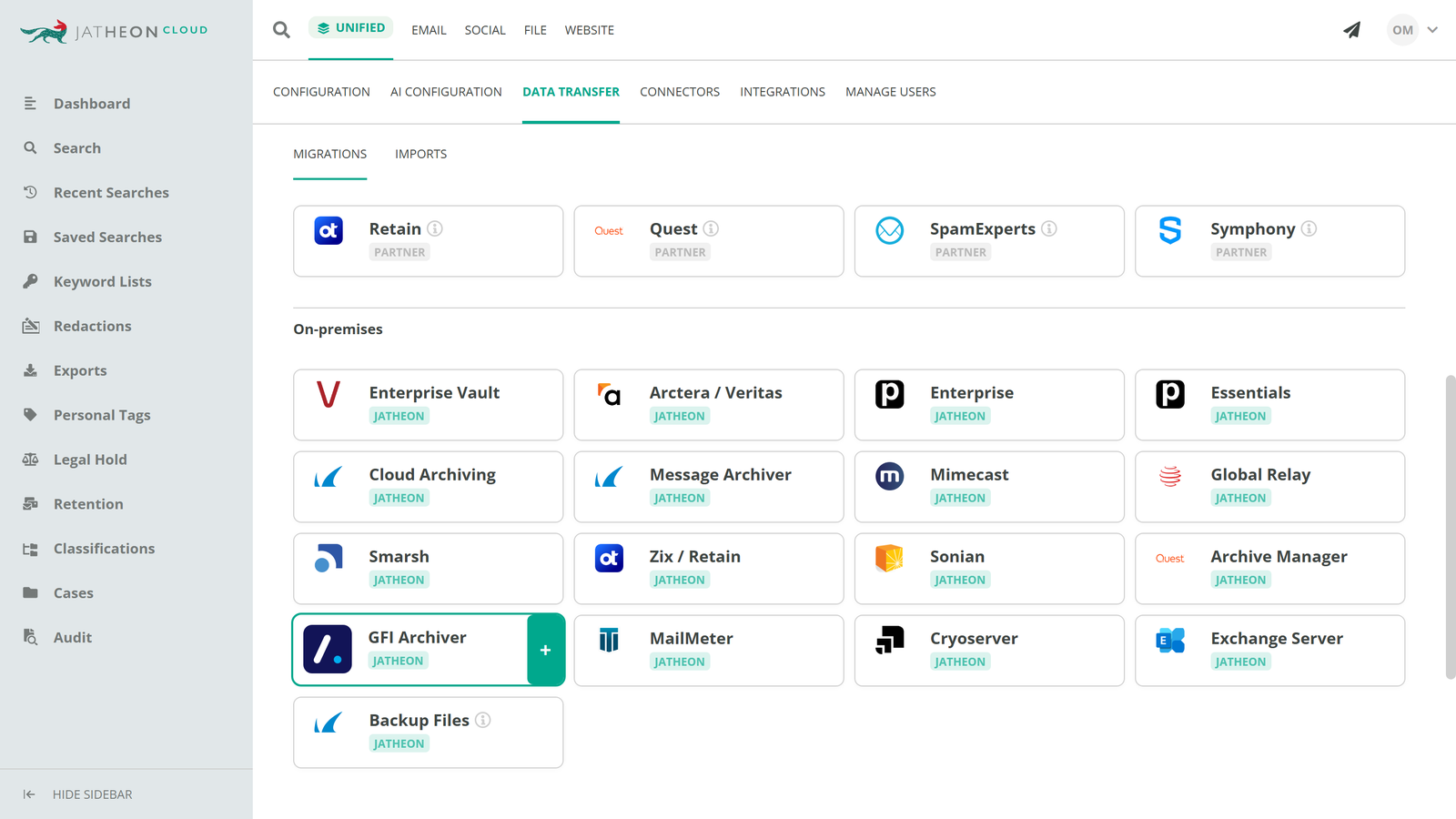
The full migration process typically goes like this:
- Technical review: A one-hour call confirms your GFI version, the number of stores, the date range, and the archive size.
- Fixed quote: Jatheon prices the migration up front after the review, so a larger archive than estimated does not change the number.
- Hand over the backups: You provide one full backup (.bak) of every archive store for the period you want to keep. If your GFI archive lives somewhere other than SQL Server, Jatheon confirms the approach before anything starts.
- Conversion and count check: Jatheon converts every message to a standard format with its headers and attachments intact, then checks the email count against the source.
- Delivery into your archive: The mail arrives in your own Jatheon account and is searchable alongside everything else you archive.
- Sign-off: You review a sample and the final report, then retire the GFI server.
Size is rarely the obstacle. A school district that asked us about moving roughly 17 million emails from 19 years of GFI history was told that this volume is routine for Jatheon and takes days, depending on transfer speed and average message size.
What You Get From the Migration
The outcome you can hold Jatheon to is a complete, searchable copy of your history and a report that proves it.
- Counts checked against your source: What Jatheon delivers is compared with what your GFI stores contain.
- Nothing silently dropped: Any item that cannot be migrated appears in a report with the reason.
- Former employees included: Inactive mailboxes are migrated and kept at no extra charge. You pay for active users.
- Live archiving from day one: Point your journaling at Jatheon before the historical work starts, so new email is captured with no gap.
- Training and 24/7 support included: Support is available around the clock, including Asia-Pacific time zones.
Because the history sits in your Jatheon cloud archive, one ediscovery search covers old GFI mail, current email, and the other channels you archive. Organizations that also need chat, iMessage, WhatsApp, or Teams archiving can add those without a second tool.
Keeping the Archive Defensible During the Move
Regulators and records requests do not pause for a migration, so keep the old archive intact until the new one is verified. Three habits protect you.
- Keep the GFI license and backups until sign-off: Retire the server only after you have reviewed the final report.
- Know your retention clock: SEC- and FINRA-regulated firms must keep records producible, and FINRA Rule 4511 sets a six-year default retention period where no other rule applies. Government teams follow state records schedules and public records laws.
- Check the new archive’s storage rules: Since the SEC’s 2022 amendments to Rule 17a-4, broker-dealers can meet the electronic recordkeeping requirement with WORM storage or an audit-trail alternative. Jatheon supports SEC 17a-4 compliance with WORM-compliant storage and a full audit trail.
What It Costs to Leave GFI Archiver
The migration fee is only part of the cost, so count the renewal you avoid and the server you retire.
- Migration priced up front: One quote, fixed after the technical review.
- Inactive mailboxes are free: Legacy mailboxes and archived history from departed staff add no charge.
- Terms that fit: One-, three-, and five-year agreements are available.
- One platform: If you also run another archive, or use a separate tool for open data requests or redaction, you can consolidate it into the same product.
Questions to Ask Before Your GFI Archiver Migration
Ask your team
- How many archive stores do we have, and where are the SQL backups?
- When does our GFI license end, and what stops working then?
- Which retention rules and legal holds apply to this history?
Ask Jatheon (or any new vendor)
- What do you need from us, and what do you do yourselves?
- How do you prove every message arrived?
- Do you charge for inactive mailboxes or historical storage?
- Will there be a gap in archiving during the move?